Shifts
Shifts & attendance
Build the roster once, let your team clock in from the counter or their own phone, and read the hours at month end instead of reconstructing them. An optional add-on at RM12 per month, per branch.
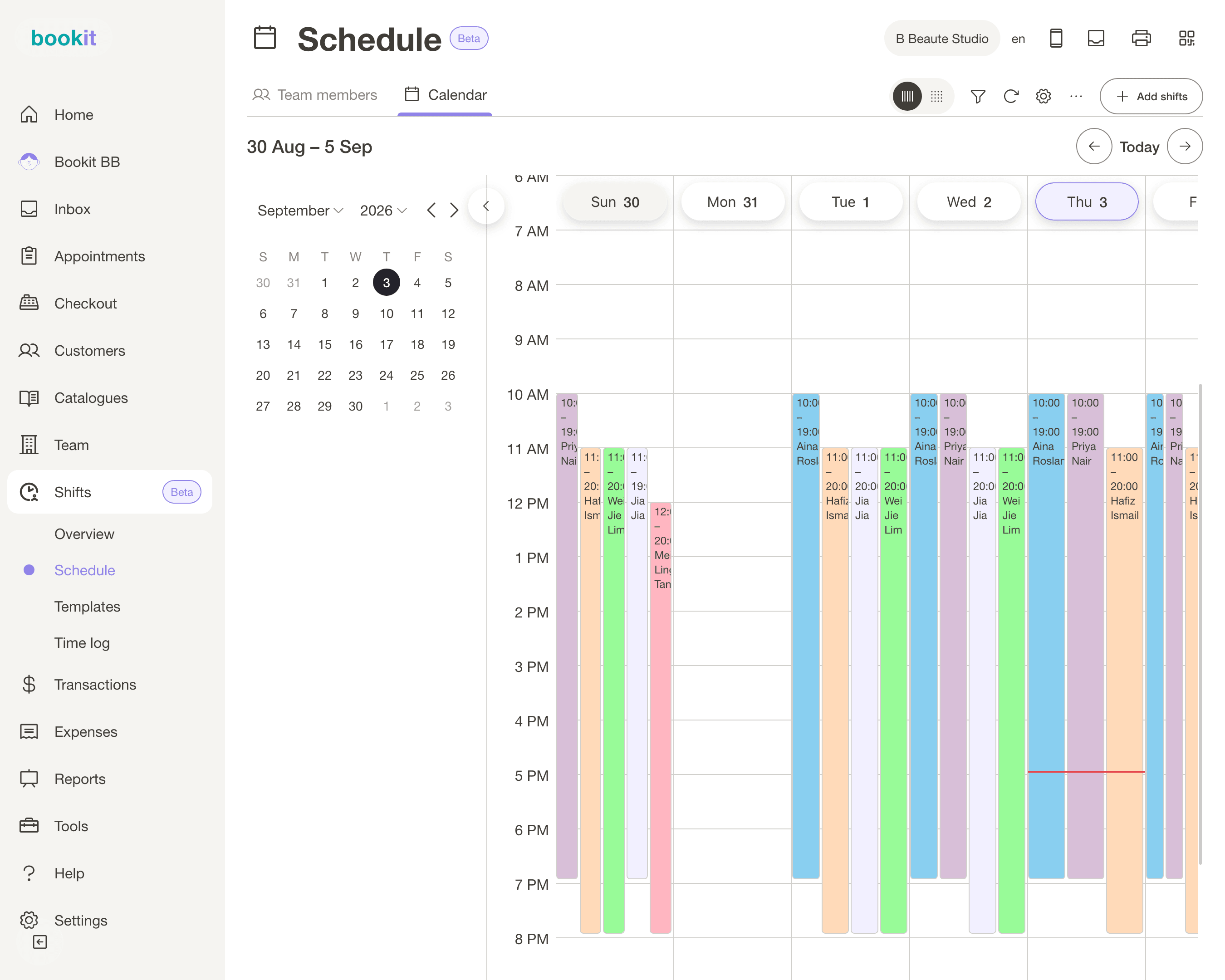
The roster in one place
Build the week or the month on a grid of team members against days, on a computer or a phone. Duplicate a day or a whole range to fill the next one.
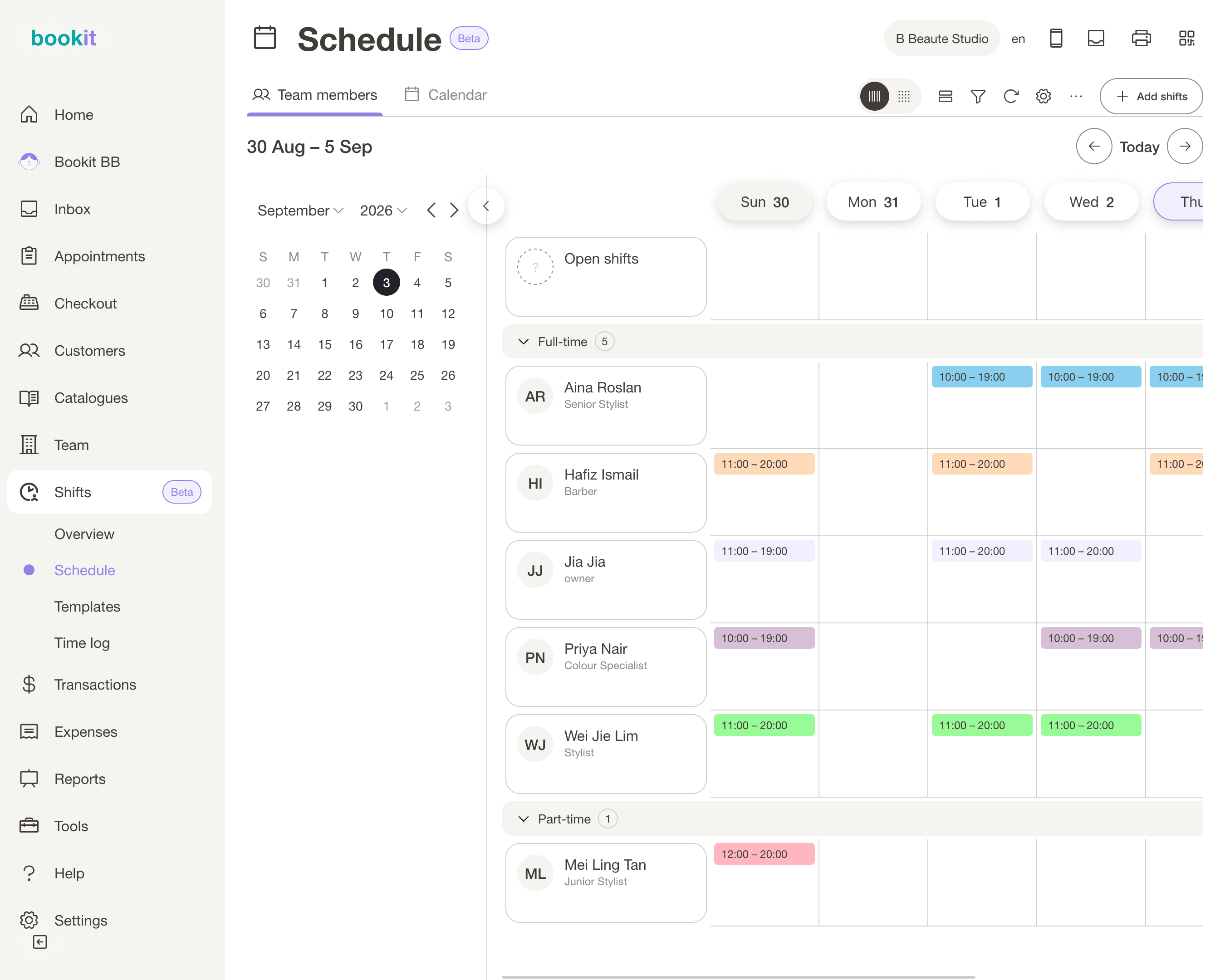
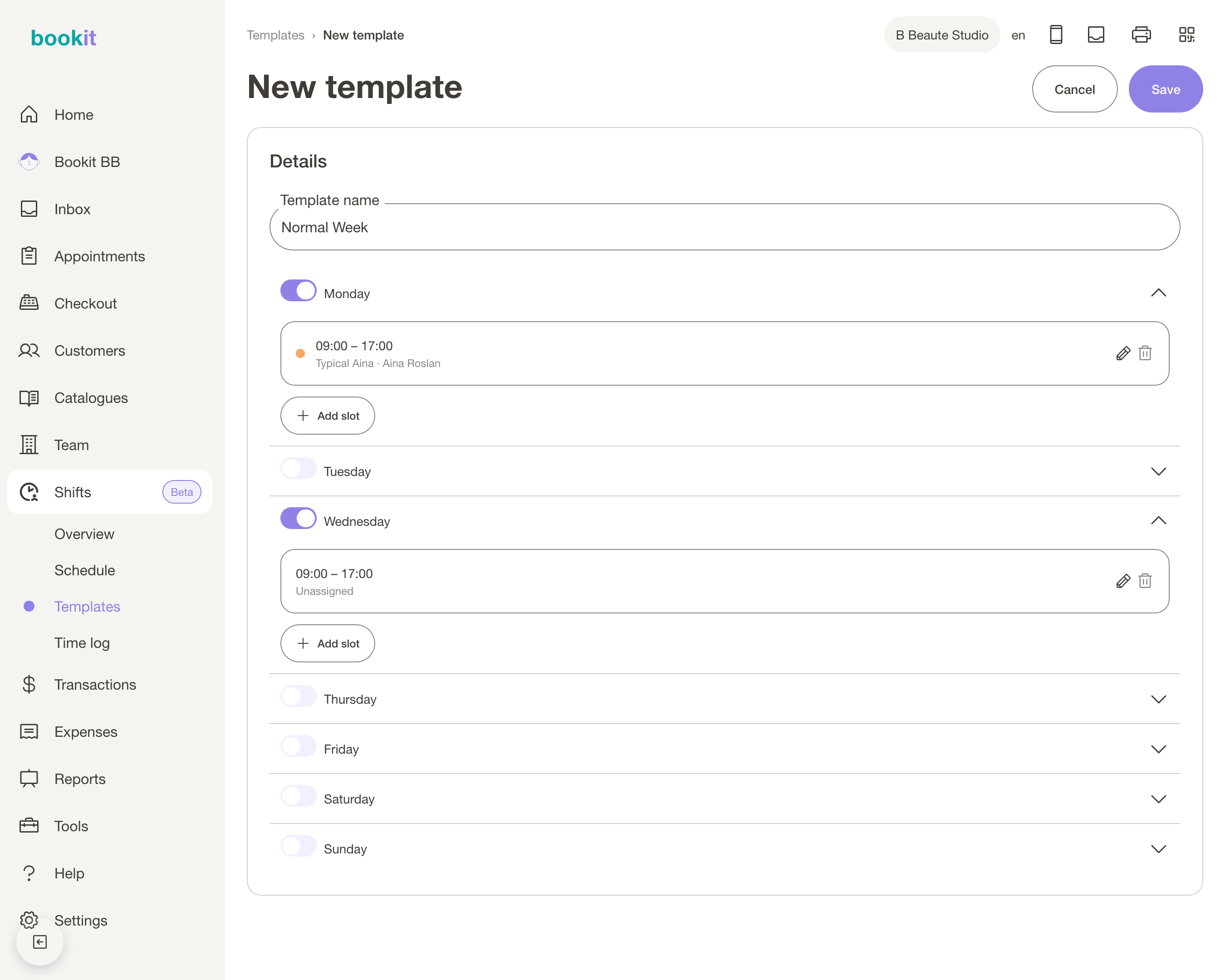
Save a good week as a template
Keep a week that worked as a template and apply it to any range — the next week is filled in, ready to adjust.
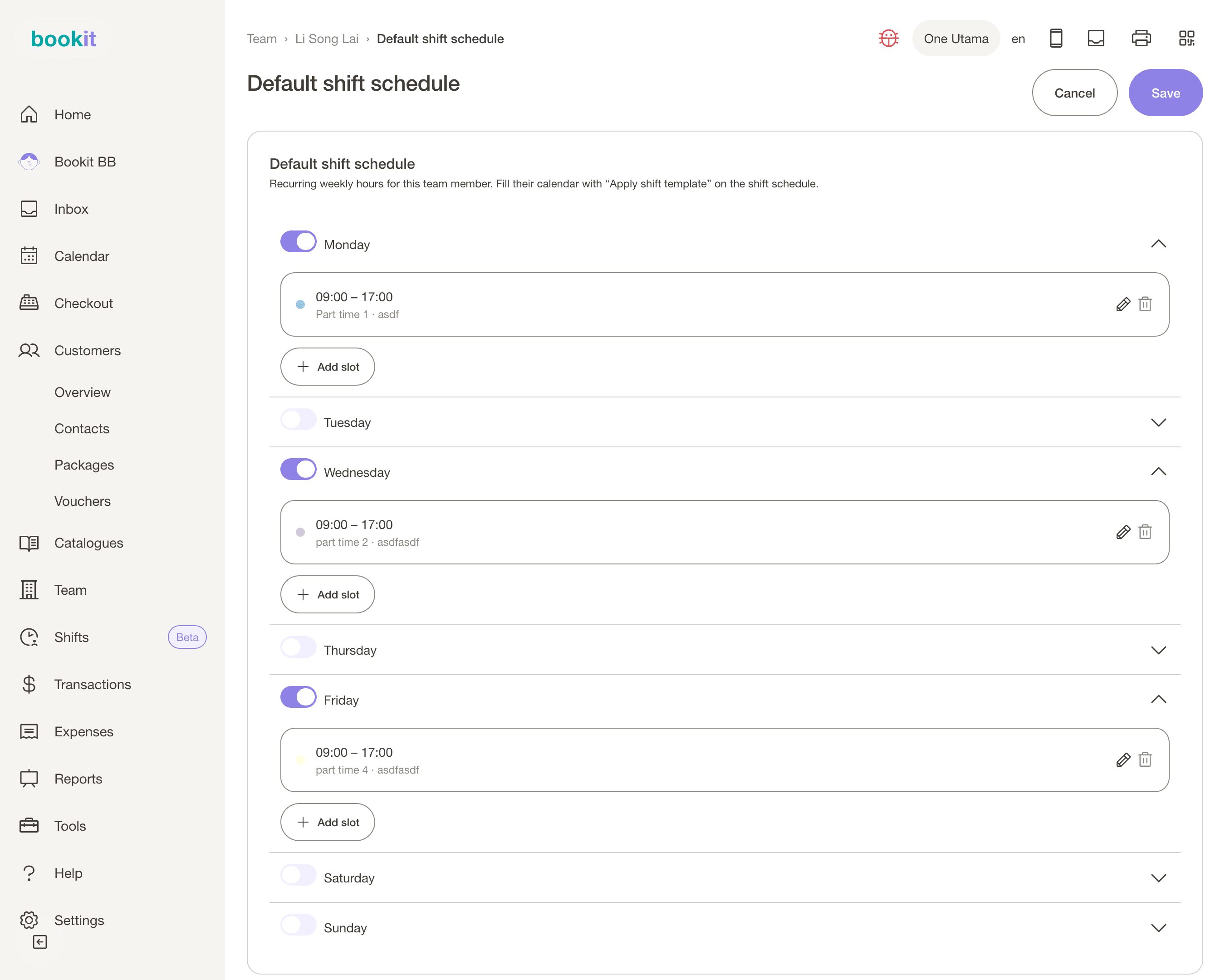
Hours that repeat, set once
Give a team member their usual weekly hours on their profile as a default schedule. Applying a template then fills their calendar for you.
Clock in from their own phone
Team members clock in and out from their own account. Choose per branch whether that needs a GPS check within a distance you set, or no check at all.
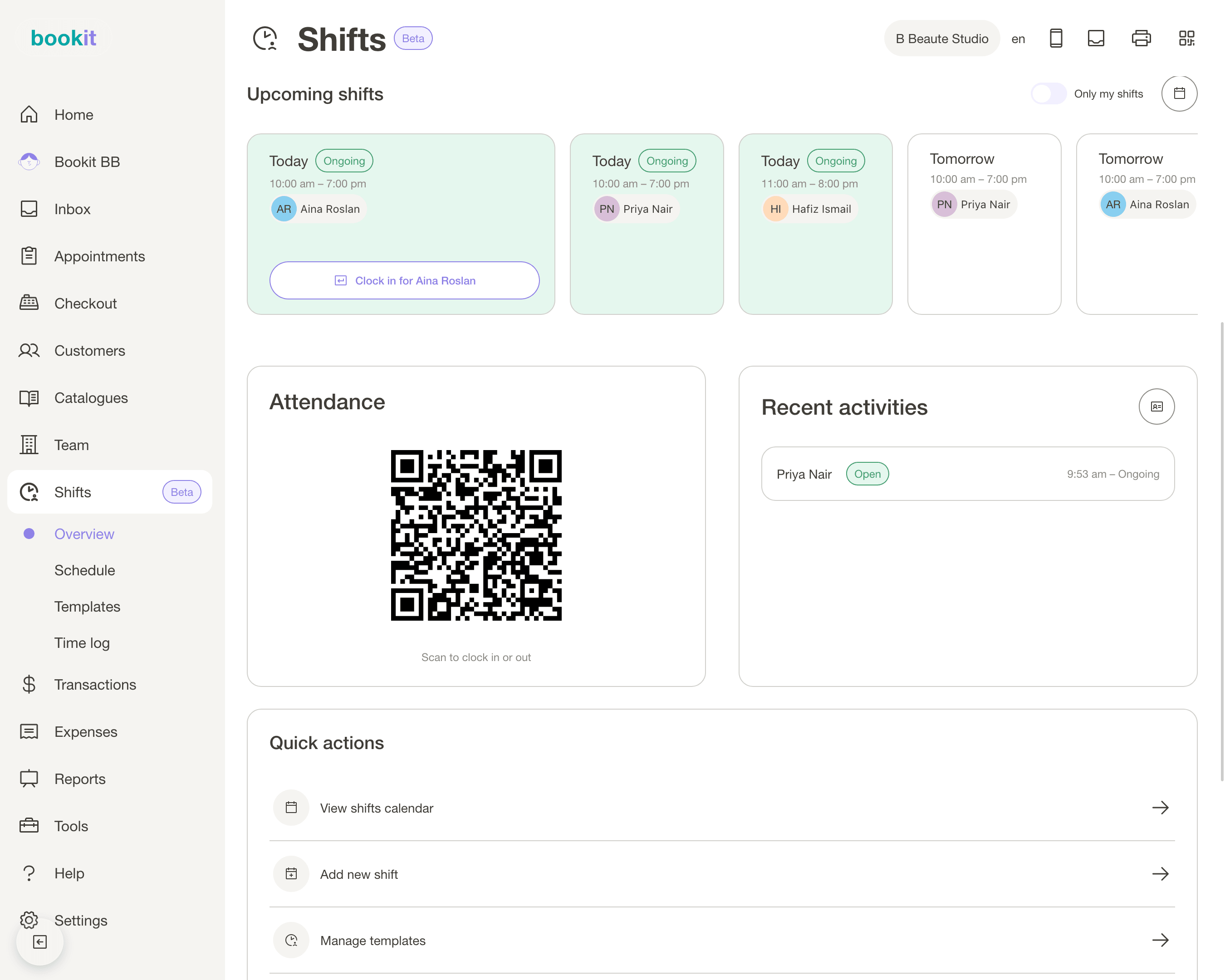
A kiosk at the counter
Open the attendance kiosk on a tablet at the counter. Its QR code keeps changing and works once, so nobody clocks in for a friend from home.
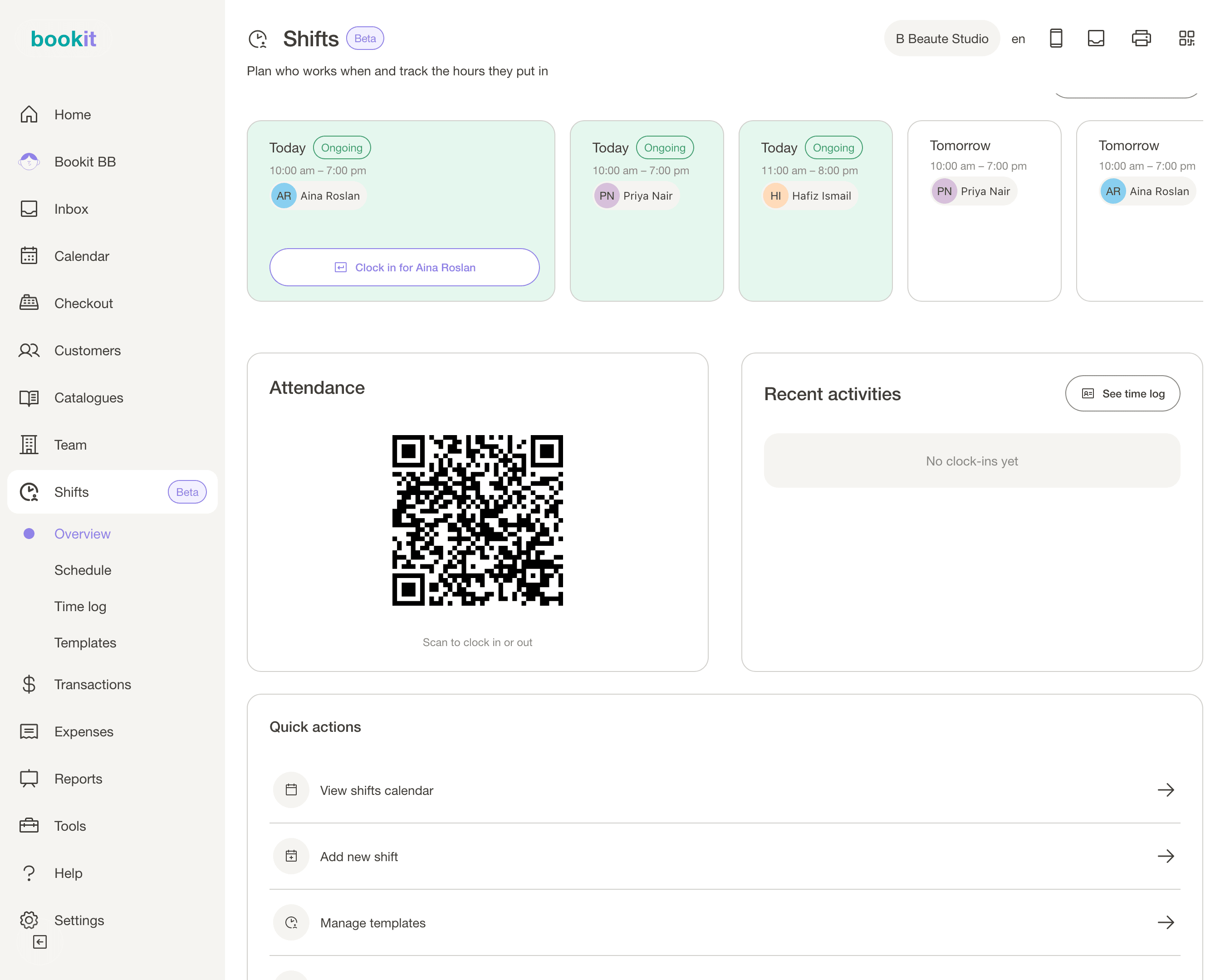
Rules per branch
Pick the attendance mode for each branch, how far from the shop a GPS clock-in may be, and how many minutes late still counts as on time.
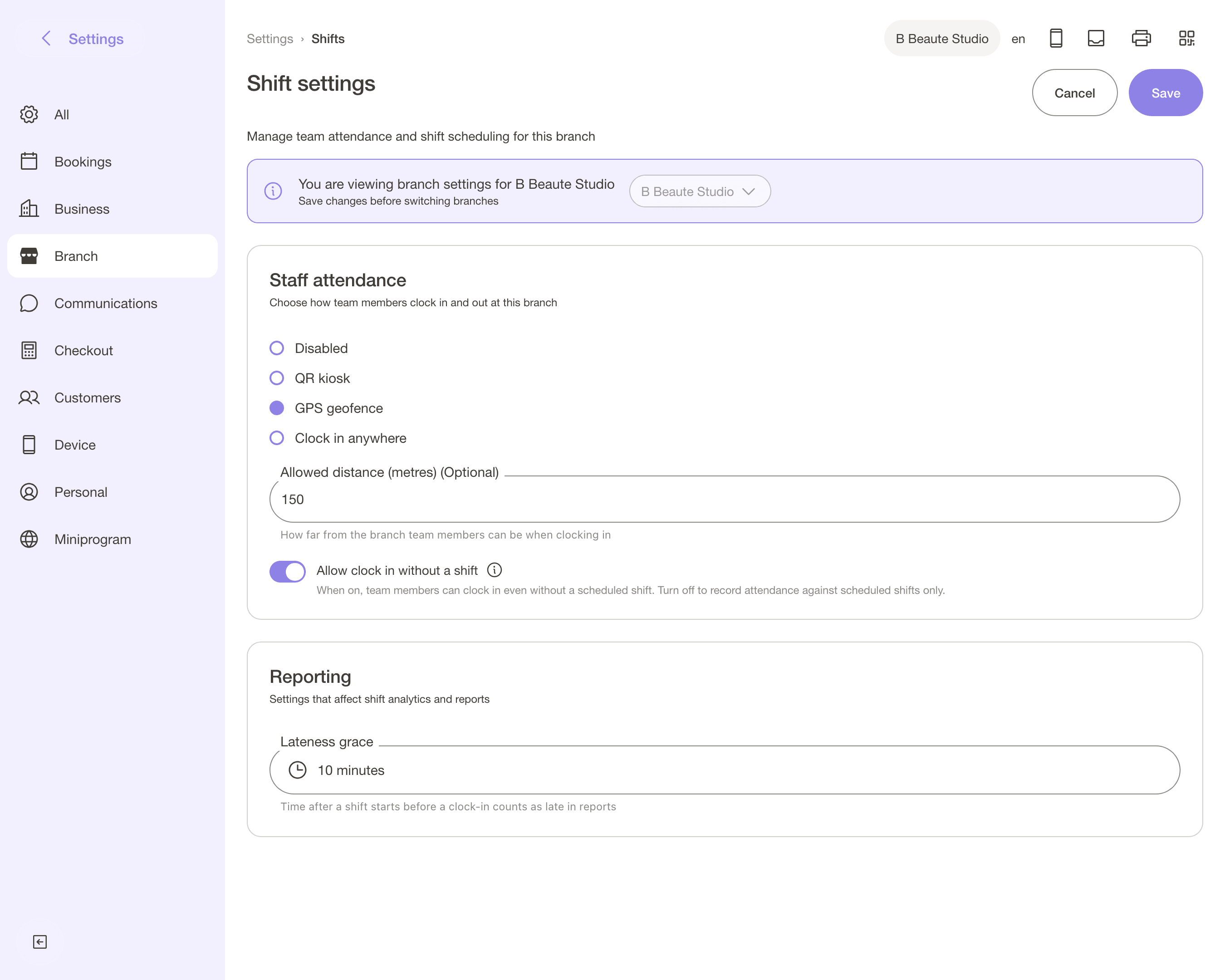
Fix a missed punch
The time log lists every clock-in and clock-out with how it was made. Correct a forgotten punch in a tap, with anything outside the allowed distance flagged.
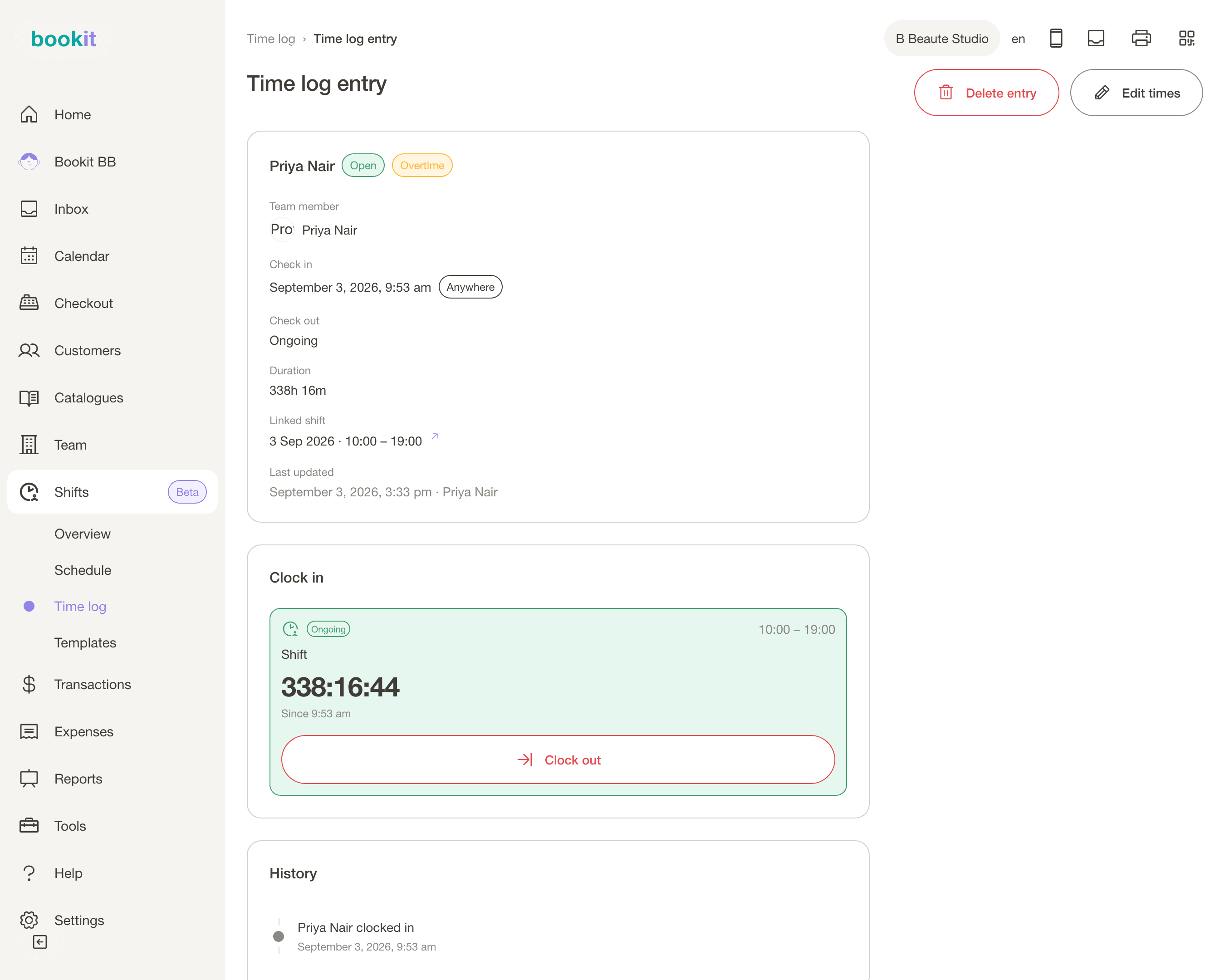
Coverage, late check-ins and no-shows
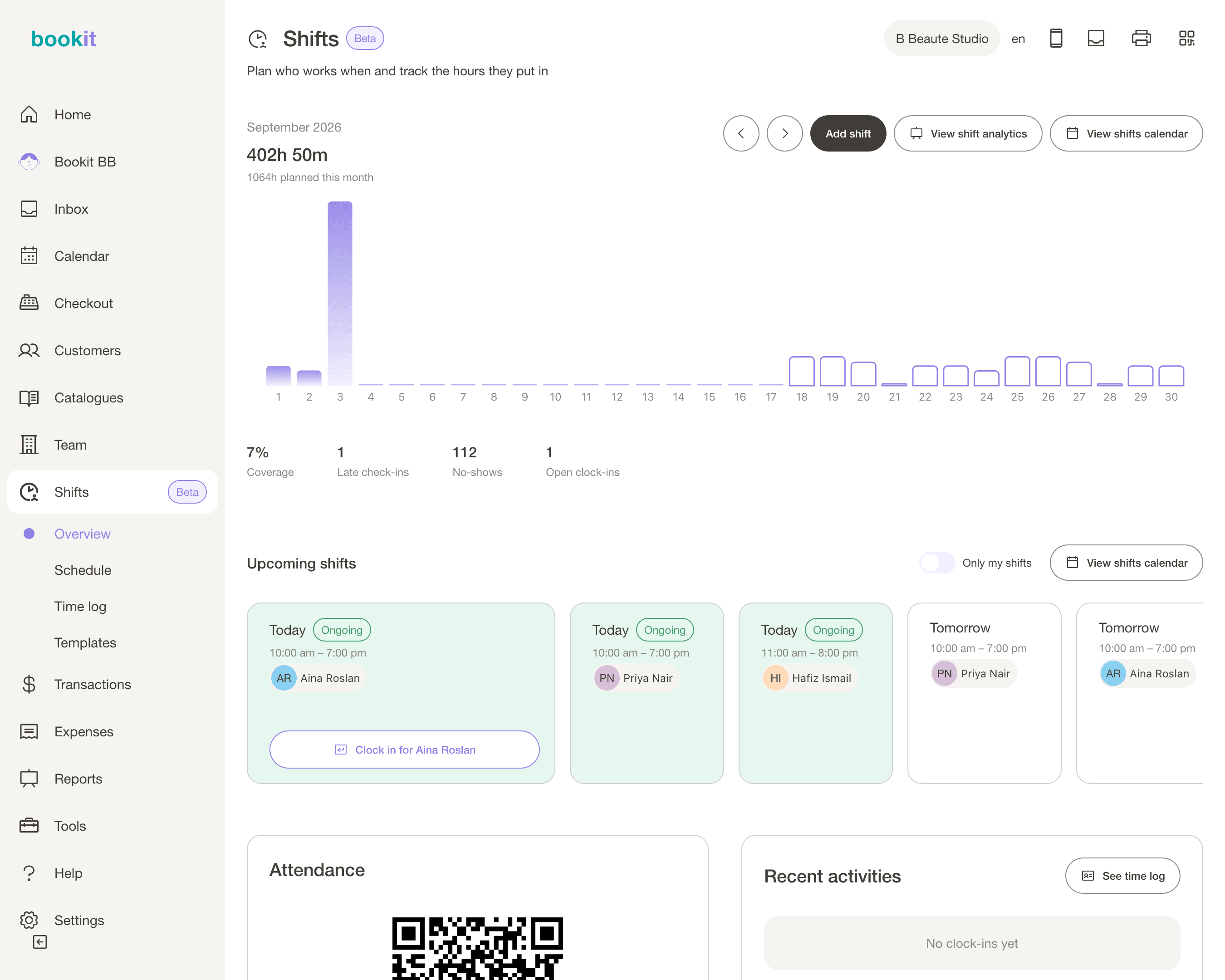
The overview shows coverage, who checked in late, who didn't turn up and who is still clocked in — for any month.
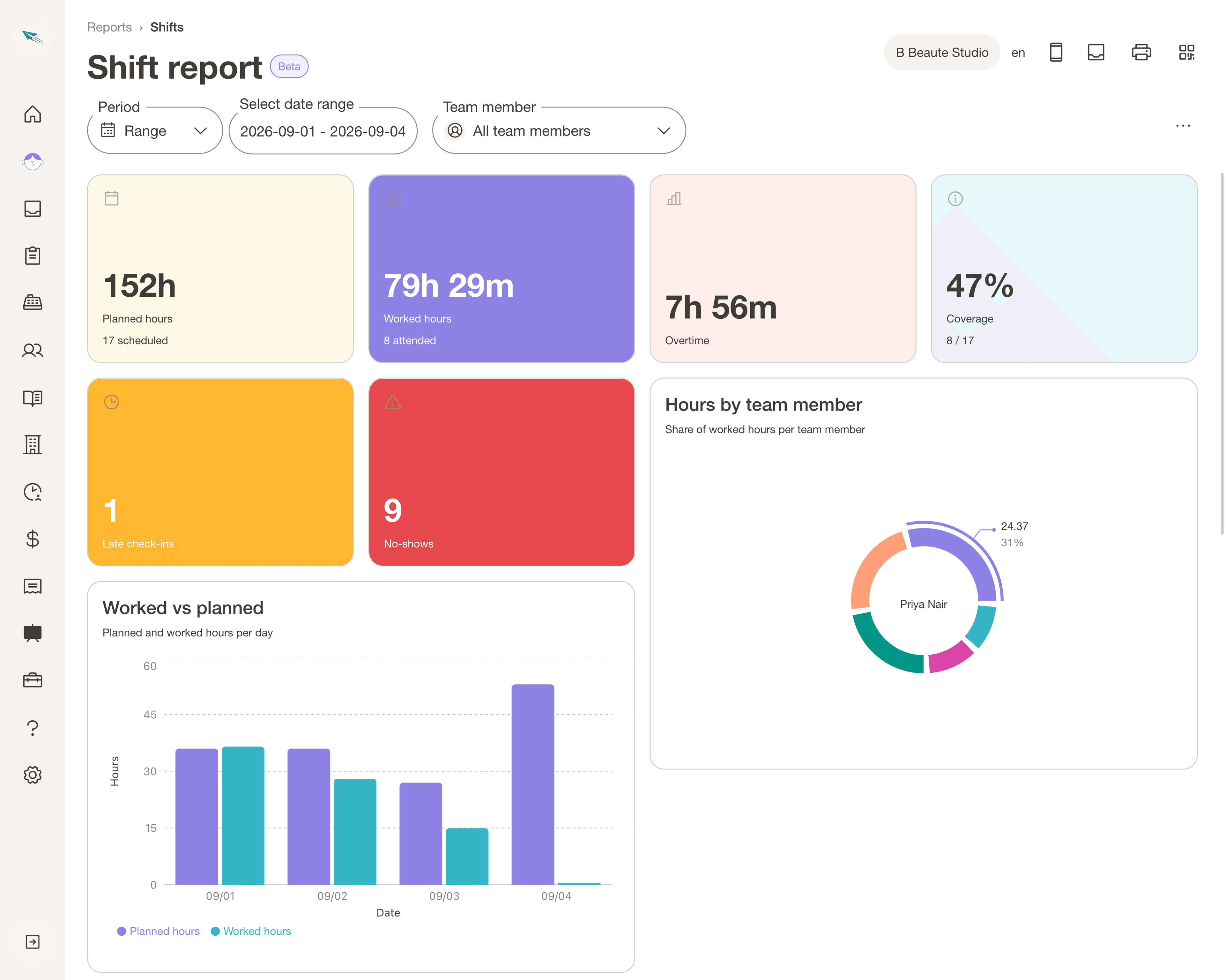
Planned hours against worked hours
Open the shift report over any date range for hours rostered, hours worked and the difference, per team member. Filter to one person, then download the CSV for whoever does your payroll.
Ready to try Shifts & attendance?
Start with 7 days free, and we'll help you set up.