
It's 10.40pm. A regular messages: "Hi, how many facials do I have left in my package?" You open the app, find her, count, reply. She says thanks. Twenty minutes later someone else asks whether their voucher is still valid.
You didn't lose a customer tonight. You lost half an hour, again, answering questions about information that is already sitting in your system — it's just that only you can see it.
Multiply that by every package customer you have. A facial studio with 80 active packages is answering that question a few hundred times a year, usually after hours, usually by hand — it's one of the surest signs a shop has outgrown running things from memory.
And every time a customer doesn't ask, there's a decent chance the sessions quietly expire and they feel a bit cheated when they find out.
The fix isn't a faster way for you to answer. It's letting the customer see the answer themselves.
Your customers get a login — on your page, under your name
Your bookit booking page (the one you share on Instagram and WhatsApp) can now take a customer sign-in. They log in with their phone number and a one-time code — no password to forget, no app to install, nothing to download. It's the same link you already share.
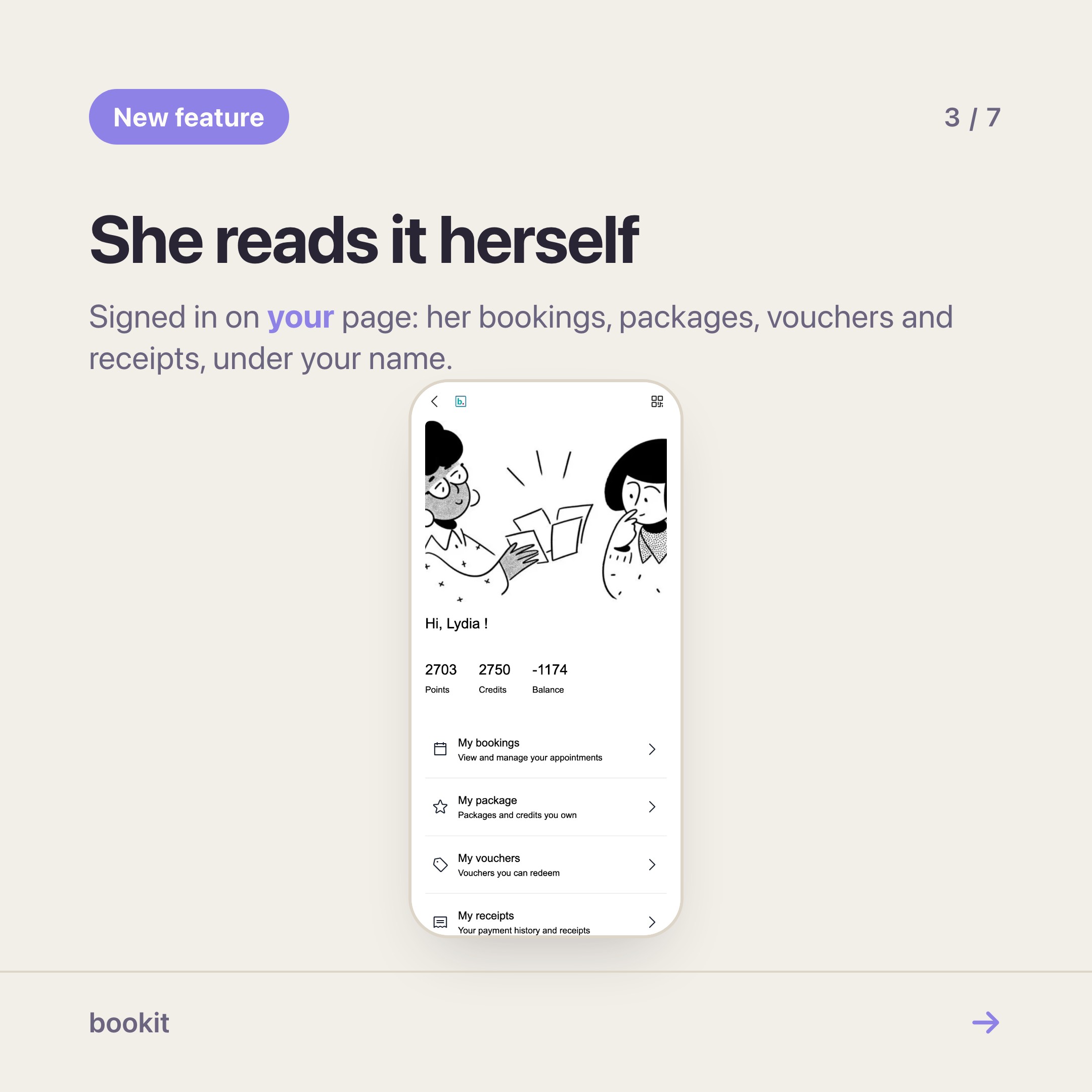
Once they're in, they see their own Profile:
- Bookings — upcoming and past, with the details of each.
- Memberships — every package they've bought and exactly how many sessions are left.
- Vouchers — what they hold and whether it's still valid.
- Payments — their receipts, so "can you resend my receipt?" stops arriving too.
- Member QR — their card, which we'll get to.
One account covers your whole business, every branch included. It doesn't carry over to other businesses on bookit, so your customer list stays yours.
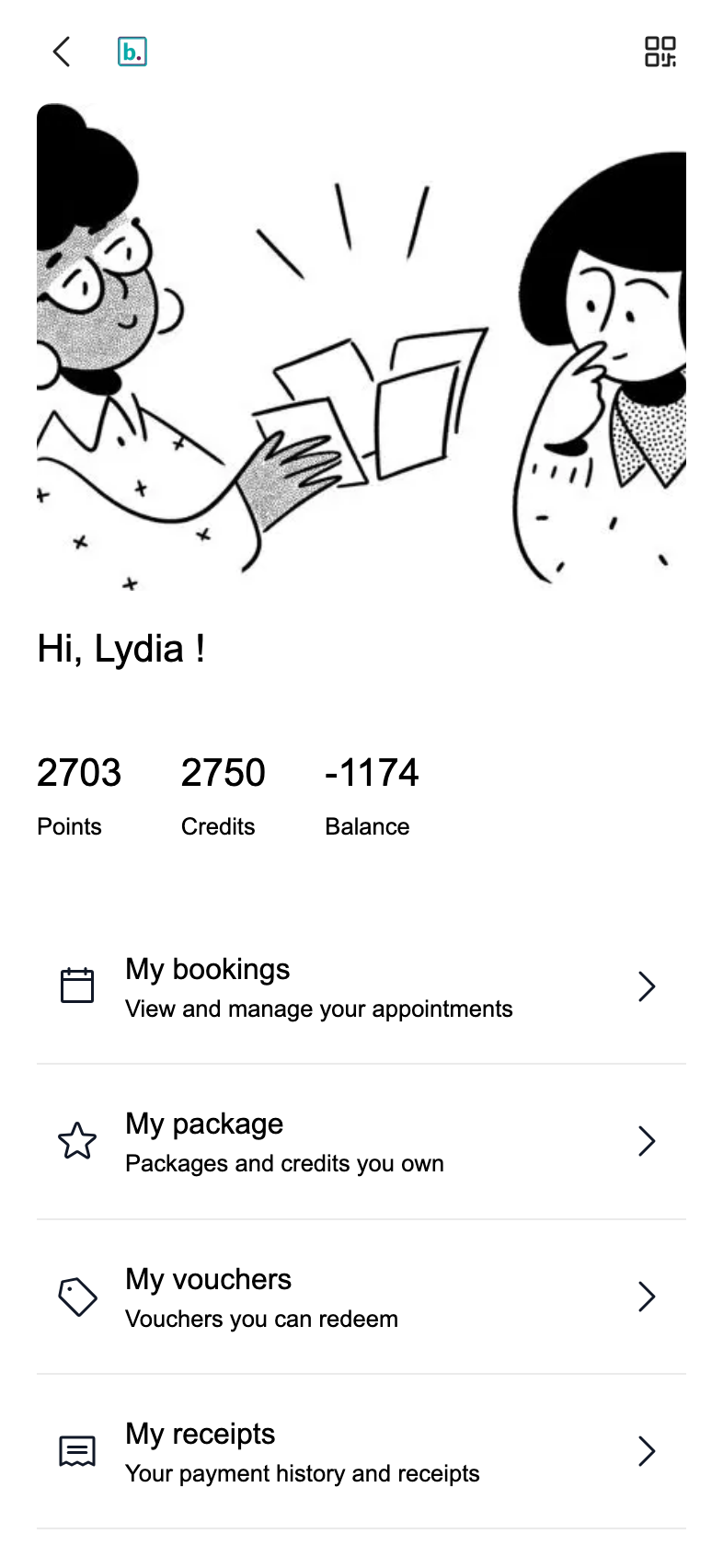
This is the part that replaces the 10.40pm message. The customer who wants to know how many facials are left opens your page, taps Memberships, and reads the number. You find out about it when they book the next one.
The member card lives in their phone wallet
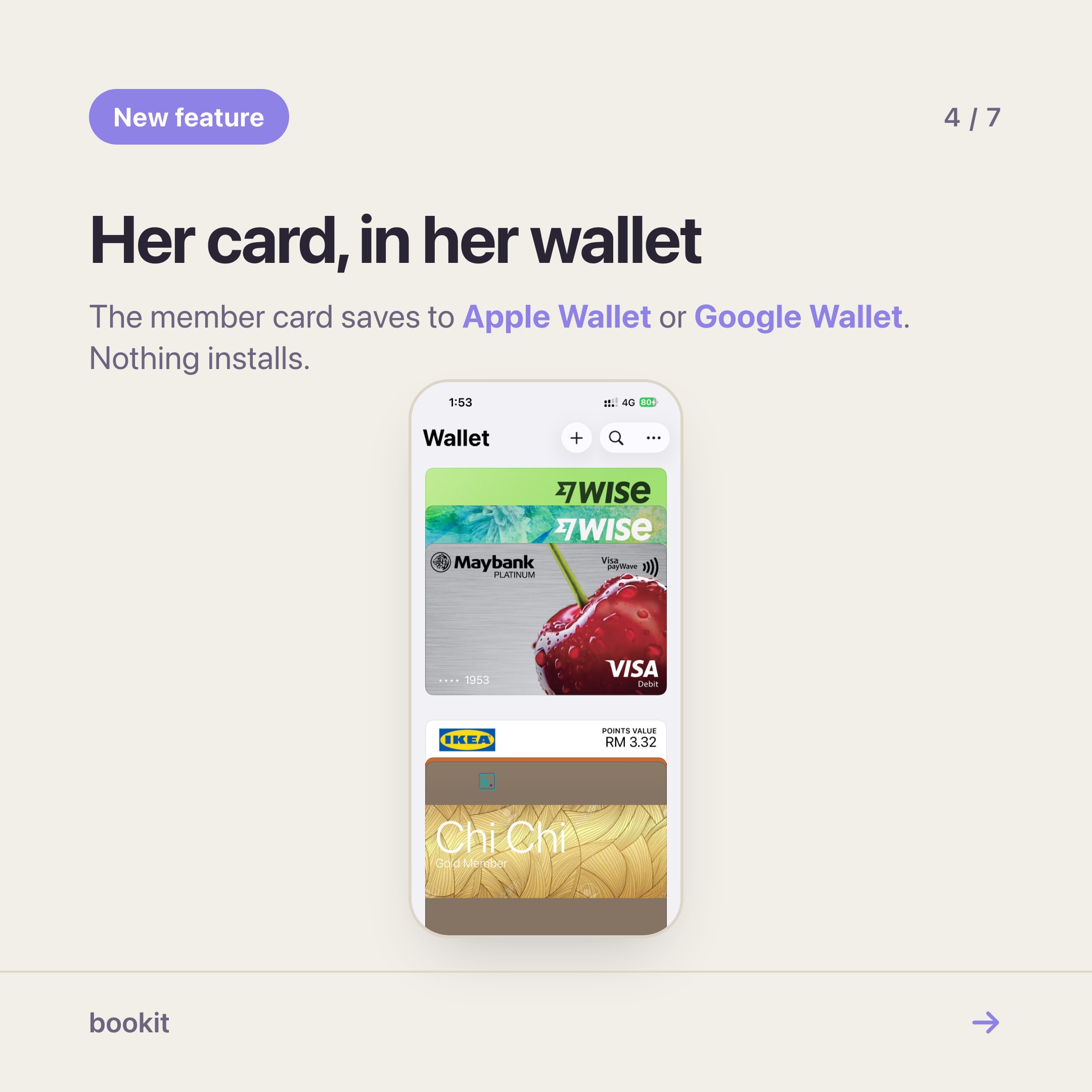
Every signed-in customer has a member QR. The useful version of it isn't on a screen they have to find — it's in the wallet app they already use for boarding passes and loyalty cards.
On an iPhone, the member card offers Add to Apple Wallet. On Android, Add to Google Wallet. One tap and it sits alongside their other cards, with your business name, your colours and your artwork.
You set all of that once in Settings → Miniprogram → Wallet pass: card colour, programme name, the image on the strip, and a short note on the back.
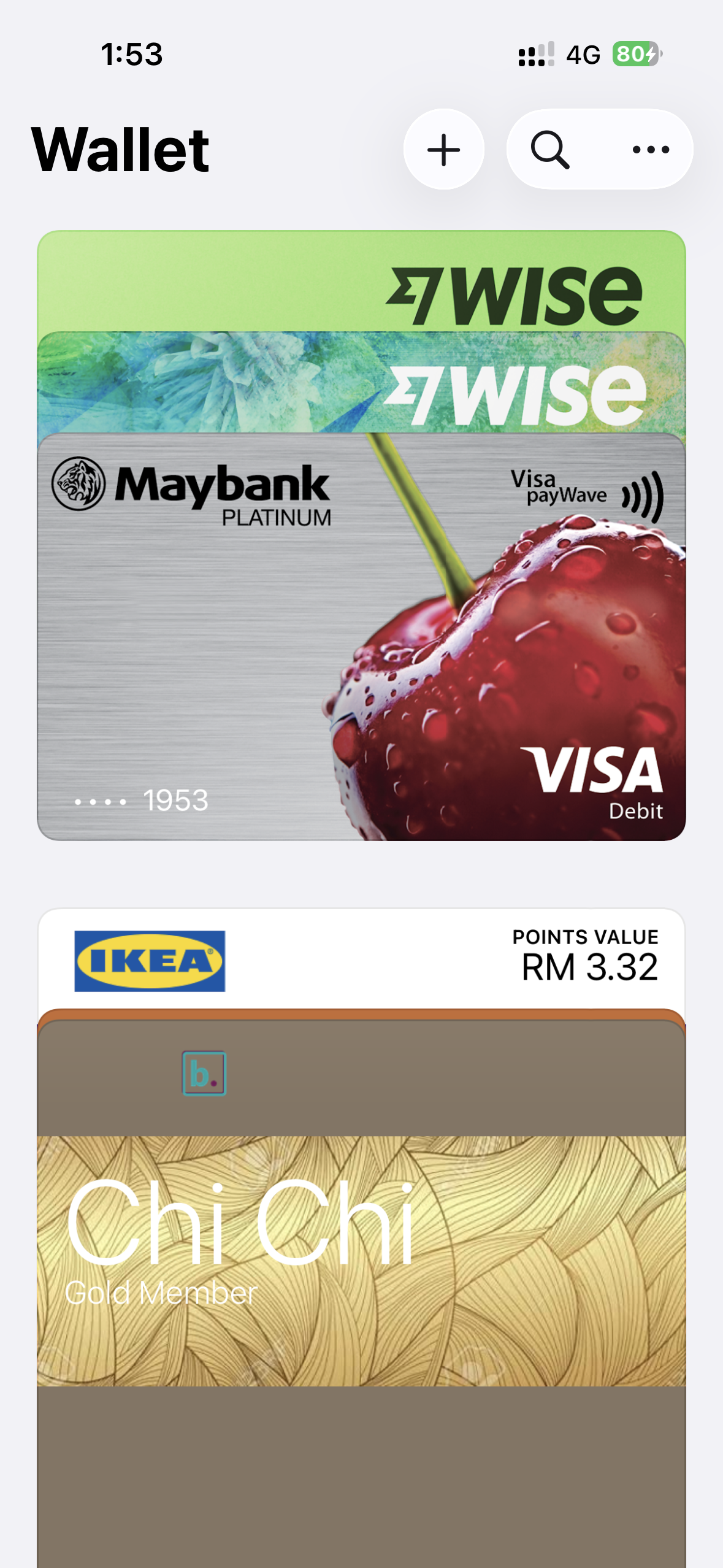
Here's why this matters at the counter. When that customer walks in, your team scans the card from bookit's checkout and the bill is already on the right person — packages, credits and vouchers ready to apply. Nobody types a name, nobody scrolls a list, nobody asks "is it under your number or your husband's?"
It's a small thing that makes a regular feel like a regular. It also removes the most common way a package gets charged to the wrong customer.
Make the page look like your shop
The page customers land on doesn't have to look like every other bookit page.
In Settings → Miniprogram → Customisation → Customise, you arrange your Home page section by section — a photo carousel, a gallery of your work, your team, opening hours, your links and social icons — by dragging them into the order that suits your customers.
Colours, text and button styles live under Appearance. Save, and it's live; there's no separate publish step. The step-by-step guide walks through every section.
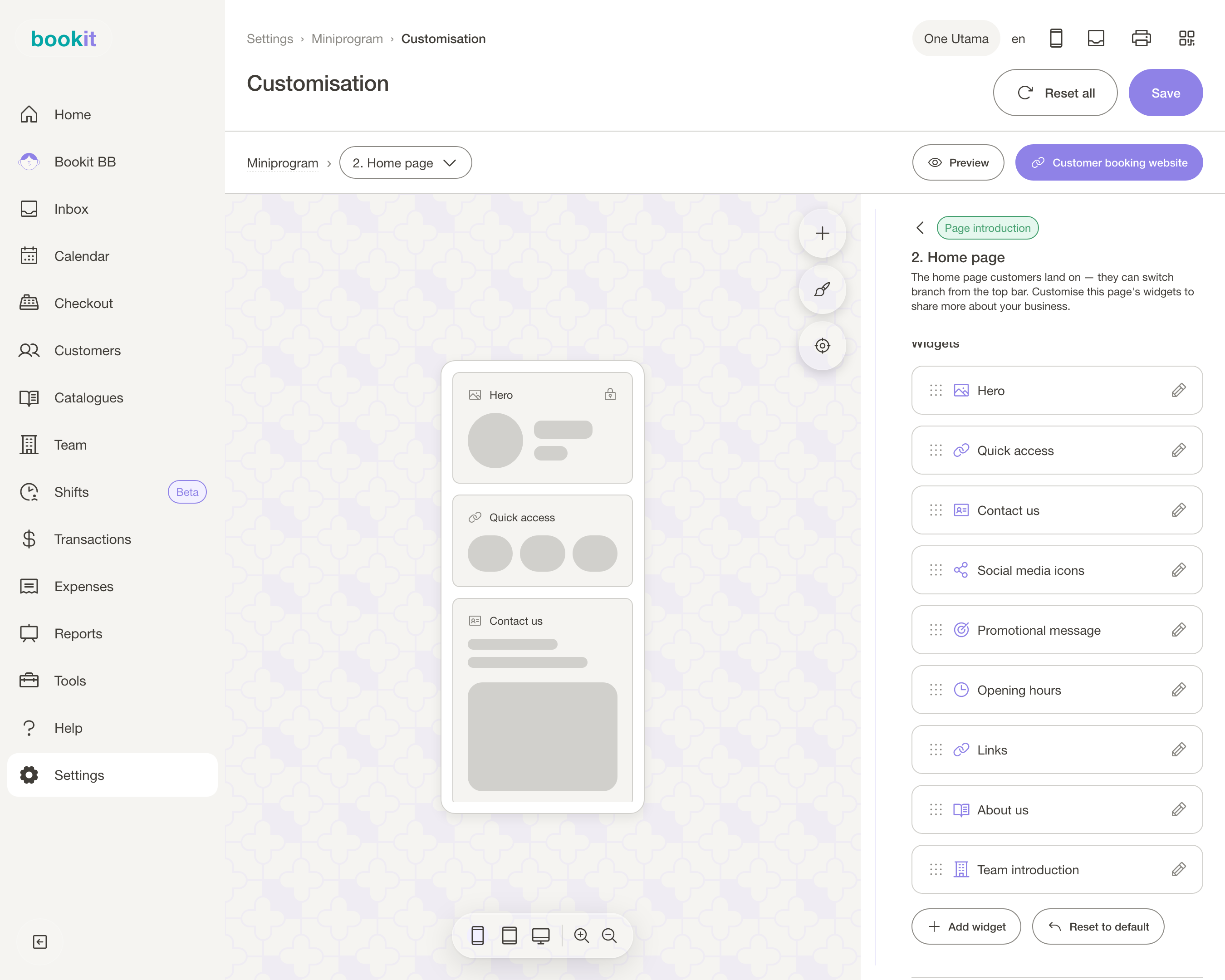
This editor is free for every bookit business. It's not a website builder — it's a booking page that happens to be arrangeable — but for most salons it does the job the Linktree-plus-Instagram-bio stack was doing, with the booking built in.
If you're still taking bookings in WhatsApp DMs, this is the page to move them to.
If you run ads, one more thing: with Pro, your own Meta Pixel or Google Tag runs on your booking page (Settings → Miniprogram → Tracking). Your ad reports finally show your bookings, not clicks that disappeared into someone else's domain.
What it costs, and what it isn't
Arranging the page is included on every plan. Miniprogram Pro — the customer login, profile, member QR, wallet card and tracking — is an optional add-on at RM60 a month per branch, or RM500 a year.
It's available on the Basic, Advance and Team plans, and you can add or remove it at any time from your subscription page.
Two things worth saying plainly.
With Pro, customers sign in to book. Your booking page opens on the sign-in screen. For regulars that's a one-time code and then they're in for good; for a first-timer it's one more step than today. If most of your bookings come from strangers rather than regulars, that trade-off is worth thinking about before you switch it on.
It's not a new app. There's nothing for you or your customers to install. It's your existing booking page, doing more. If someone showed you a demo and you're wondering whether this is "the new bookit app" — no. It's the page you already have.
What to do next
Start with the free part: arrange your Home page this week, on a laptop, and share the link the way you already do. Then look at how many "how many sessions do I have left?" messages you answered last month. If the honest answer is "a lot", that's what Pro is for.
If you're not on bookit yet, our one-month RM49 trial includes the booking page and the editor, and we help you move your customer list across. Customers, packages and bookings all live together — that's the whole reason a member login can show them.
The customer who knows exactly what she has left doesn't message you at 10.40pm. She books.
Read next
- Set up Miniprogram Pro — the login page, the profile order and the wallet card, in twenty minutes
- The booking page sections worth using — what each section is for, and the order that works
- Miniprogram or Miniprogram Pro? — the one question that decides whether you need the add-on
- Run a members' club without building an app — the wallet card, in more depth