Every few months a merchant asks us to quote for a custom app. Their own icon on the customer's home screen, push notifications, a loyalty tier or two. It is a reasonable thing to want, and it is almost always the wrong spend.
The maths is brutal. A shop with 600 regulars might get 60 to install an app. Of those, maybe 20 open it twice. You have then paid five figures for a channel reaching twenty people, and you now maintain it forever, across two app stores, one of which will change a rule next year.
Meanwhile, every one of those 600 customers already has a wallet app on their phone, with boarding passes and cinema tickets in it, and they open it without thinking.
Put the card where the cards already are
A member card is the smallest useful version of "our app". It needs to do two things: prove who the customer is, and be somewhere they can find it.
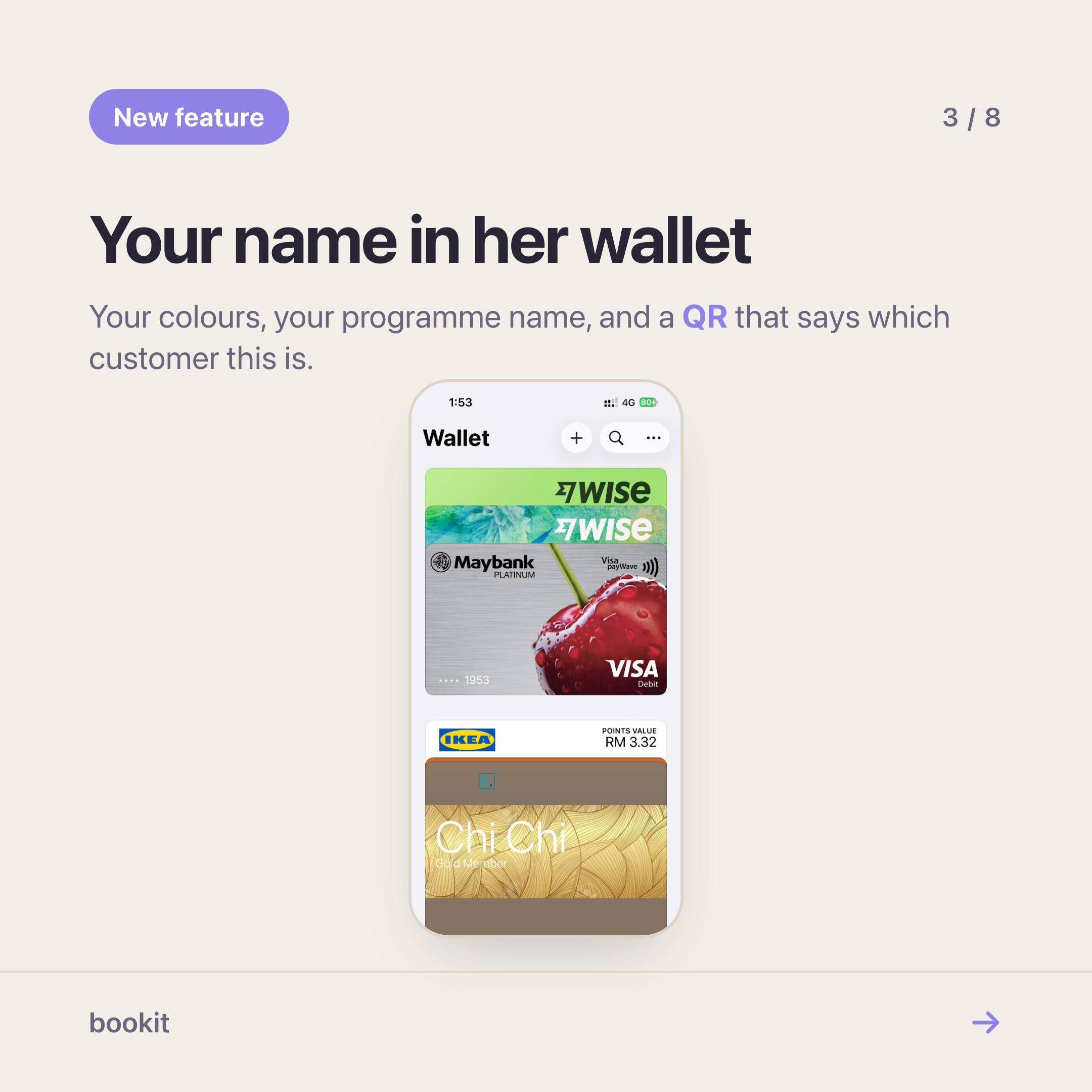
In bookit, a customer who signs in to your booking page gets a member QR. On an iPhone it offers Add to Apple Wallet; on Android, Add to Google Wallet. One tap, and it sits beside their MRT card, carrying your business name, your colours and your artwork.
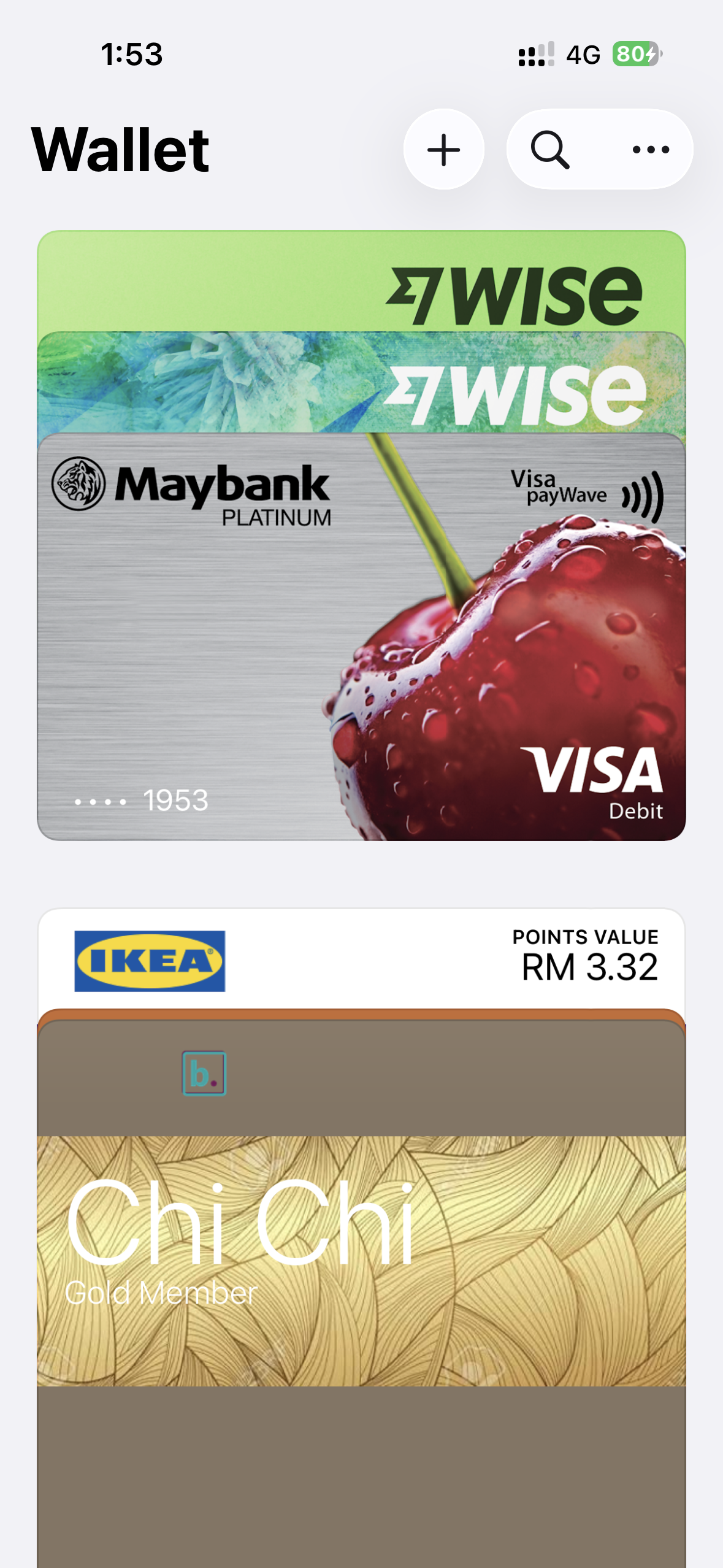
No install, no store listing, no review process, nothing for you to maintain.
Make it yours once
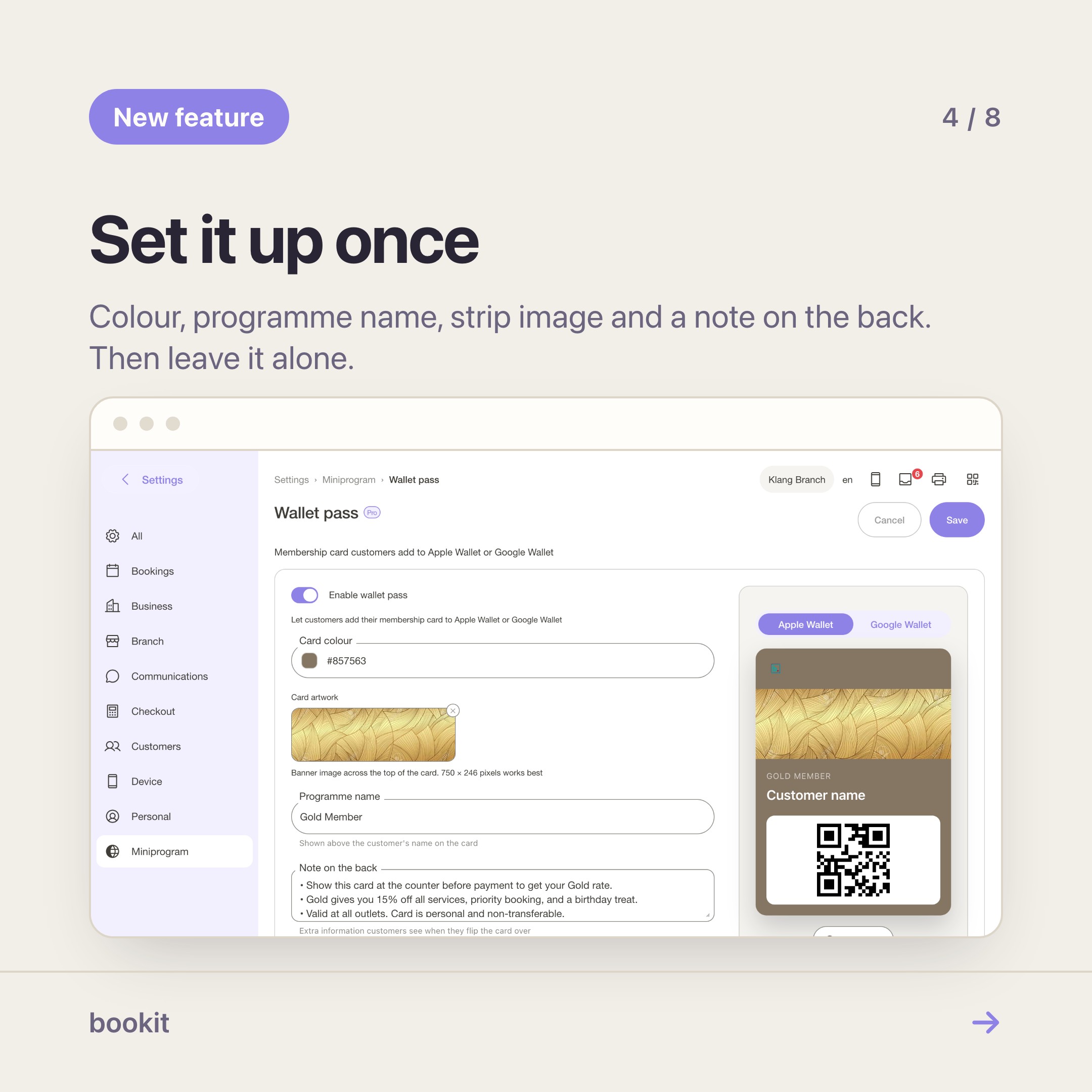
The card is set up in Settings → Miniprogram → Wallet pass. Four things to decide, once:
- Card colour — use your brand colour, not black. It is how they spot it in a list.
- Programme name — what the card calls itself. "Members", "Club", the name of your shop.
- Strip image — the band across the card. A clean photo of the shop or your logo on a plain field works; busy photos look like noise at card size.
- Back of card — a short note. Opening hours and your WhatsApp number earn their place here.
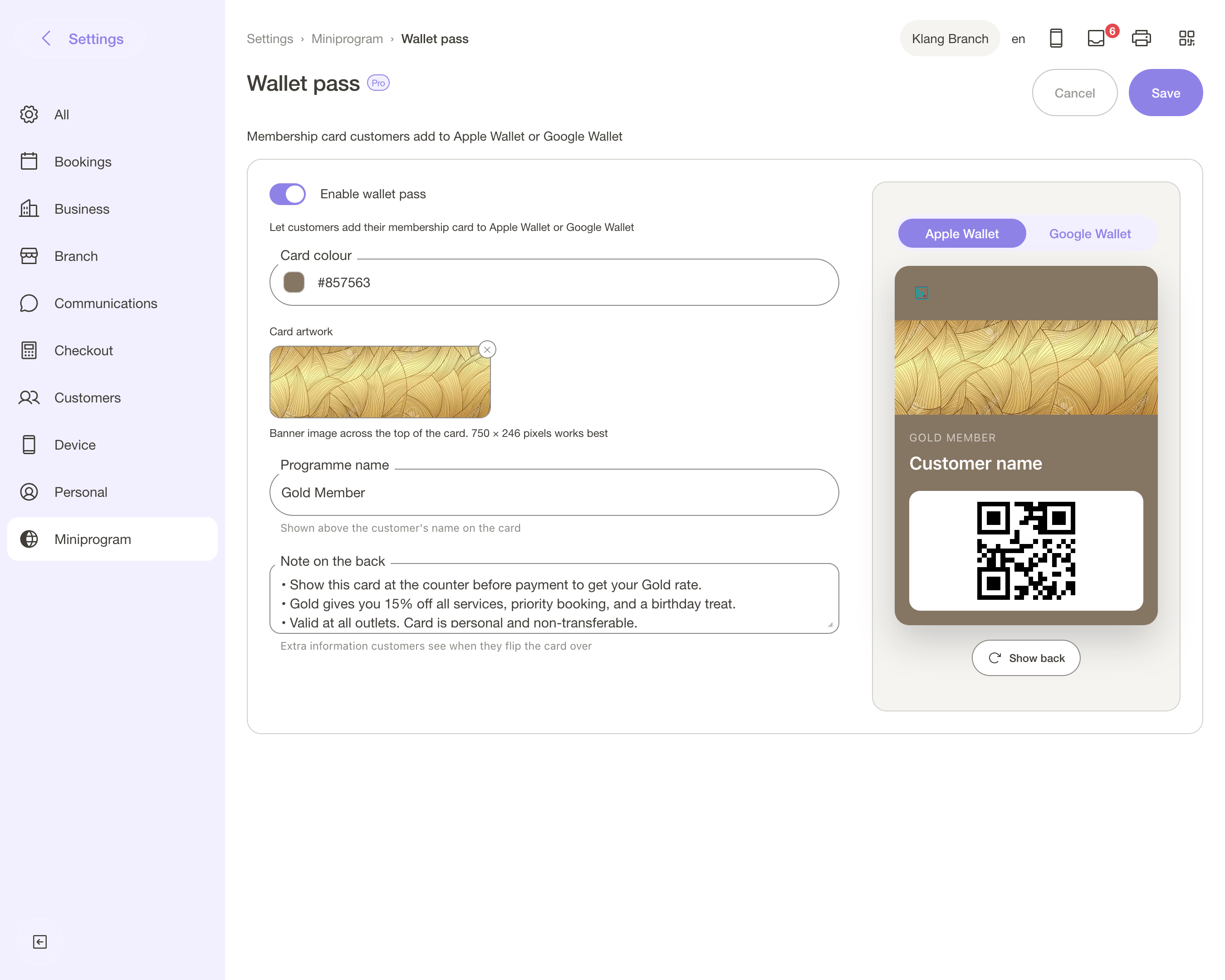
Keep it boring and legible. This card is going to sit in a list next to Grab and AirAsia.
The counter is where it pays
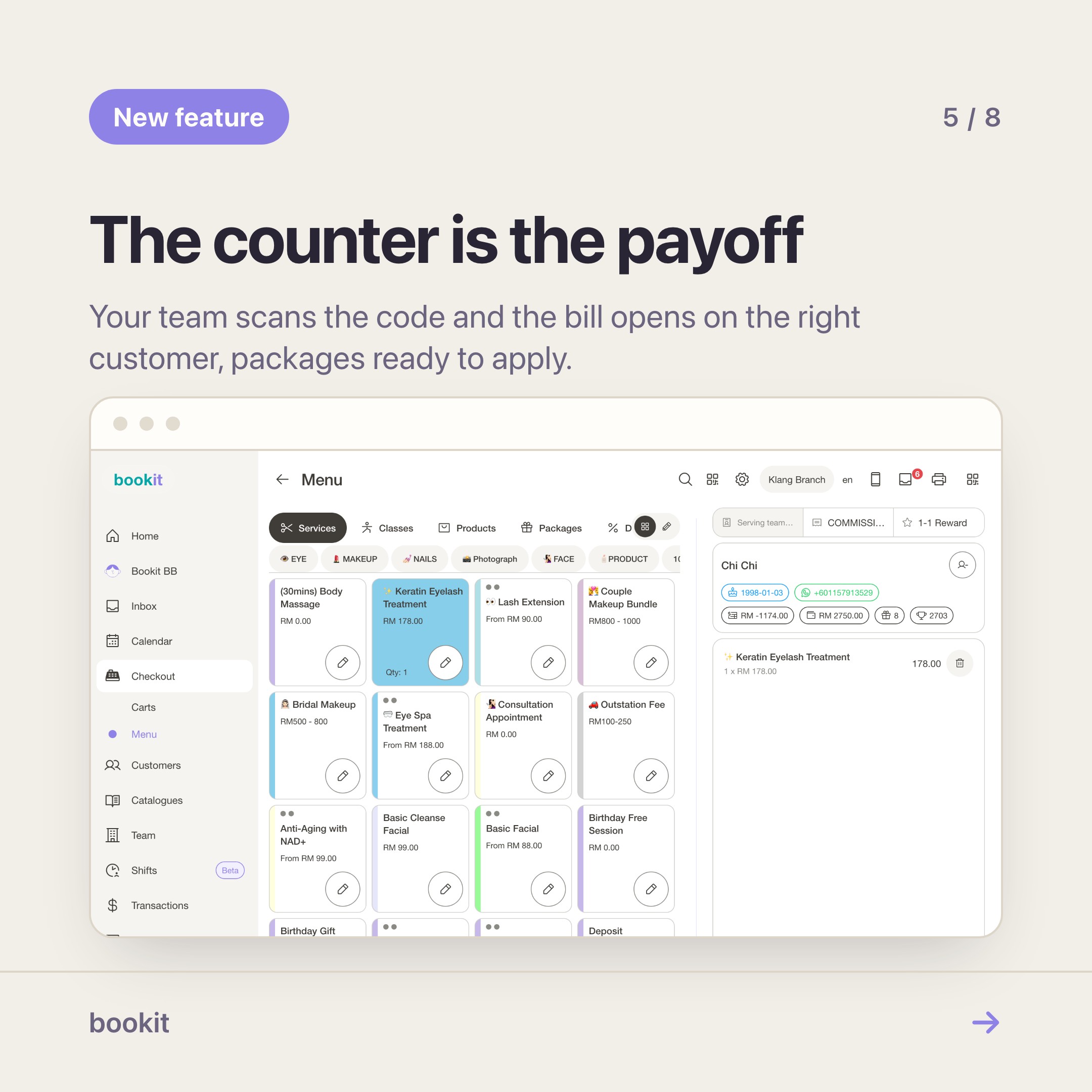
The reason to do this is not the branding. It is the thirty seconds at the counter.
Today, a regular walks in and someone on your team types a name into a search box, gets three Sarahs, asks which number she used, and eventually finds the right record. Sometimes they pick the wrong Sarah, and a package gets deducted from a stranger.
With the card, your team scans the QR at checkout and the customer is attached to the bill — her packages, her credits and her vouchers all sitting there ready to apply.
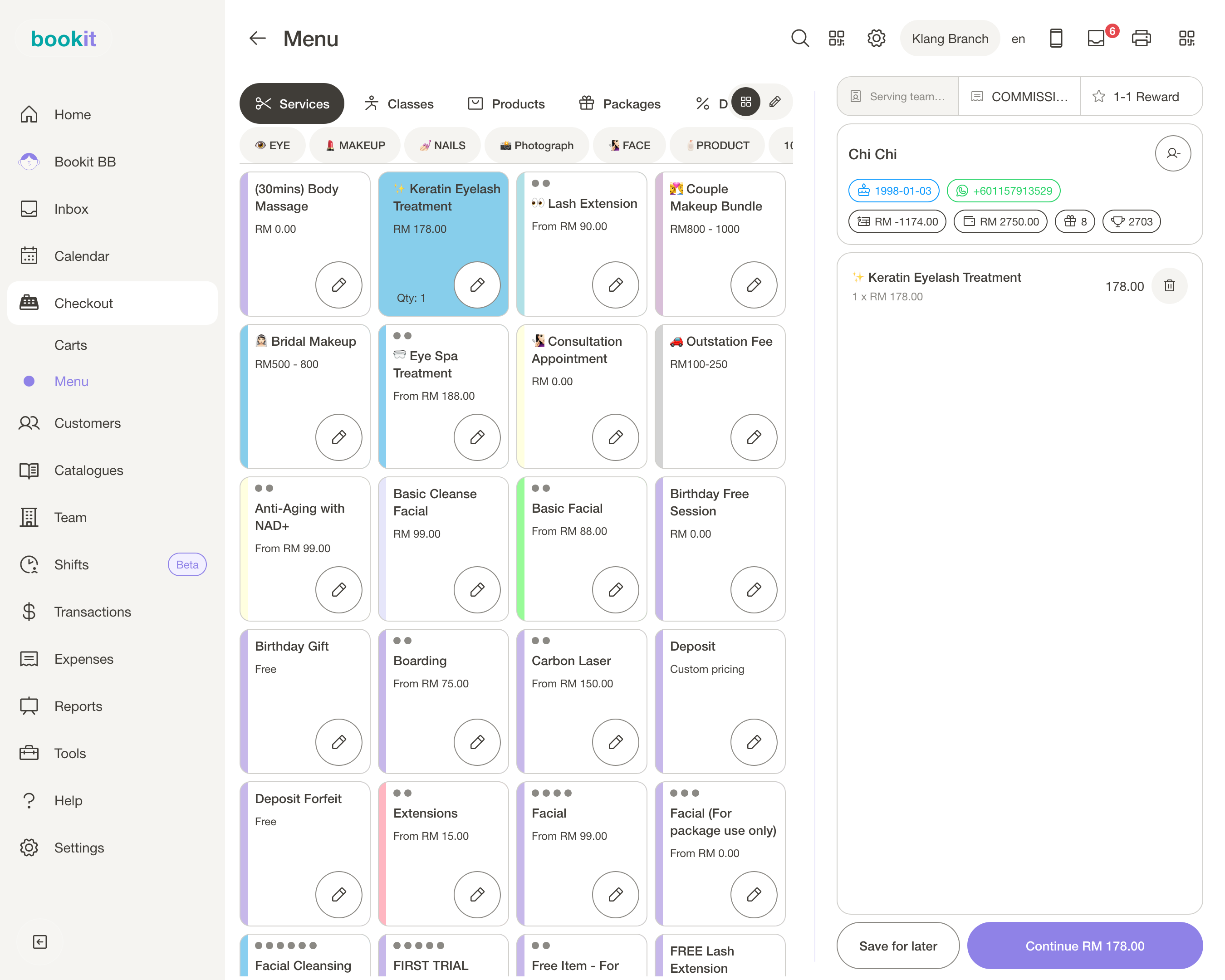
It is a small thing that a regular notices. They hold up a phone, you say their name, and the transaction is already about them.
What a wallet card is not
It is not a push channel. Wallet cards do not send marketing messages, and the ones that try are the reason people delete them. If you want to reach customers, that is WhatsApp, and it should be something they asked for.
It is also not a tier system. There are no points, no gold-silver-bronze, no automatic rewards attached to the card itself. The card identifies the person; the rewards live in your packages, vouchers and credit, which the customer can see in their profile.
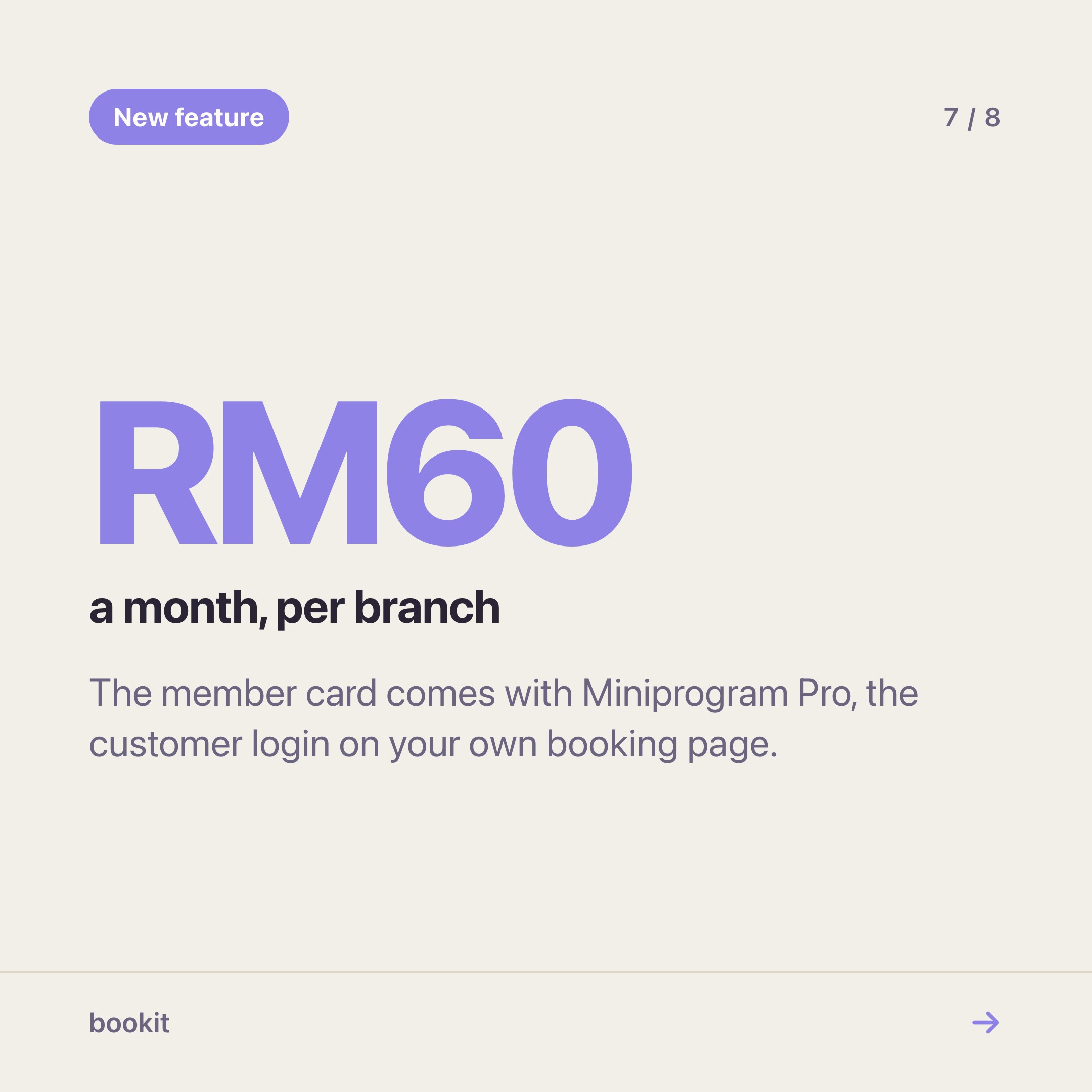
And it needs the customer to sign in once, which means Miniprogram Pro — RM60 a month per branch, on top of your plan.
If your customers never prepay for anything, that sign-in has little to show them and you should skip it. If they hold packages, the card is the part they will actually talk about.
A sensible way to roll it out
- Set up the card design before you tell anyone. Ten minutes.
- Add Pro to one branch.
- Ask five regulars at the counter to sign in and save the card while you watch. If anyone struggles, the phrasing on your page needs work, not the customer.
- For the next month, have the team ask "do you have the card?" at checkout, and add it for anyone who says no.
- Count how many bills start with a scan rather than a search.
The shops that get value from this do not announce a "loyalty programme". They just stop typing names.
Read next
- Set up Miniprogram Pro — the login page, the profile order and the wallet card, in twenty minutes
- Miniprogram or Miniprogram Pro? — the one question that decides whether you need the add-on
- Turn your booking page into a member app — what Pro looks like in a customer's hands
- The booking page sections worth using — what each section is for, and the order that works