A shop with five full-timers on fixed hours is simple. Almost nobody has that.
What merchants actually have is a mix: two people on payroll, a lash tech who comes in Thursday to Saturday, a colourist renting a chair with her own clients and her own deal, a friend who covers the counter during raya season, and — once things go well — a partner who put money in and wants to see the numbers without being able to change them.
Every one of those people needs something different from your system: a different level of access, different hours, and a different share of what they bring in. Handle it by memory and you will spend the rest of your life answering questions. Handle it once, properly, and most of the questions stop.
Here is the order that works.
1. Give them their own account, not your login
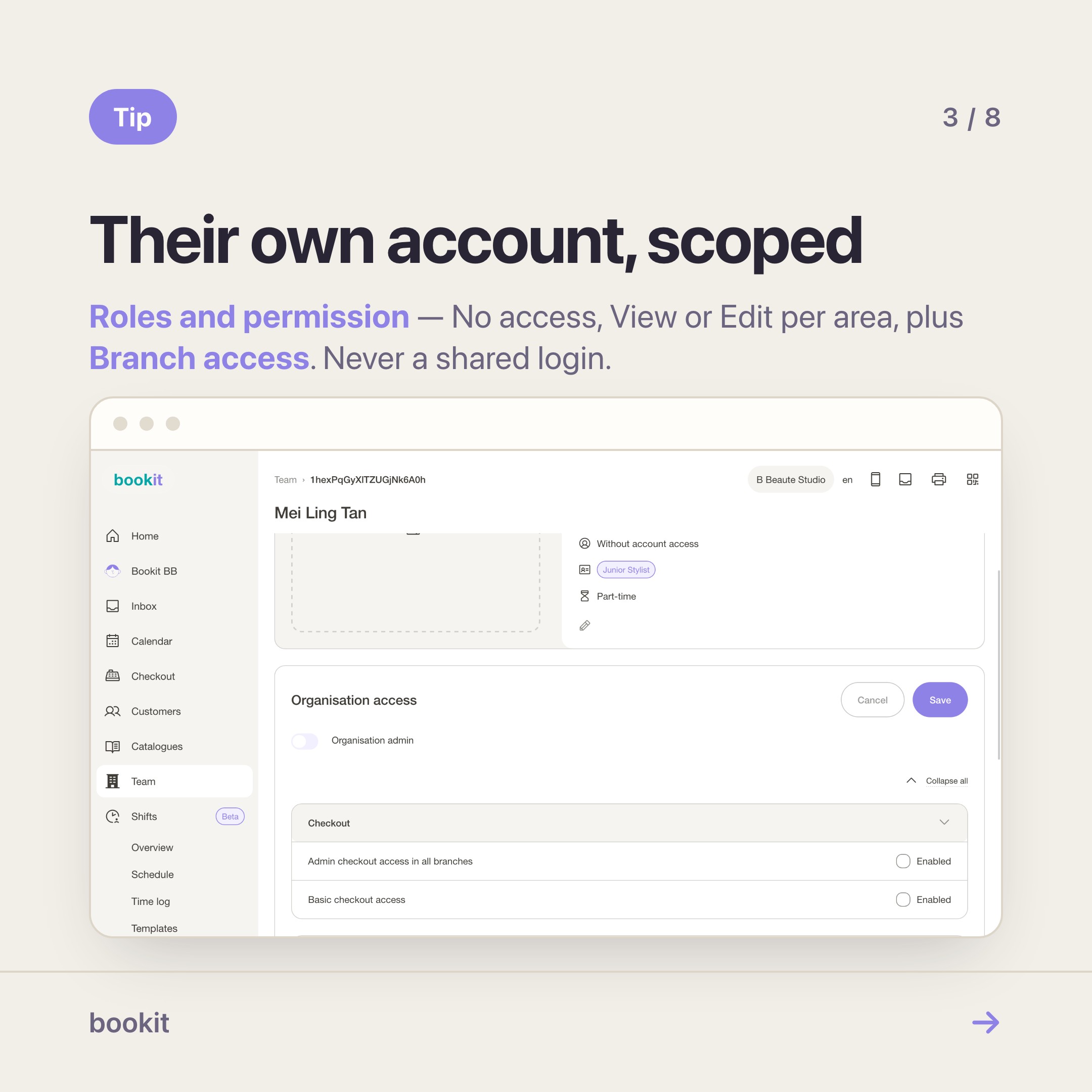
The shortcut every shop tries first is sharing a login. It fails the moment you have more than one person in the building, because nothing anyone does is attributable, and you end up removing access by changing a password that then breaks for everyone.
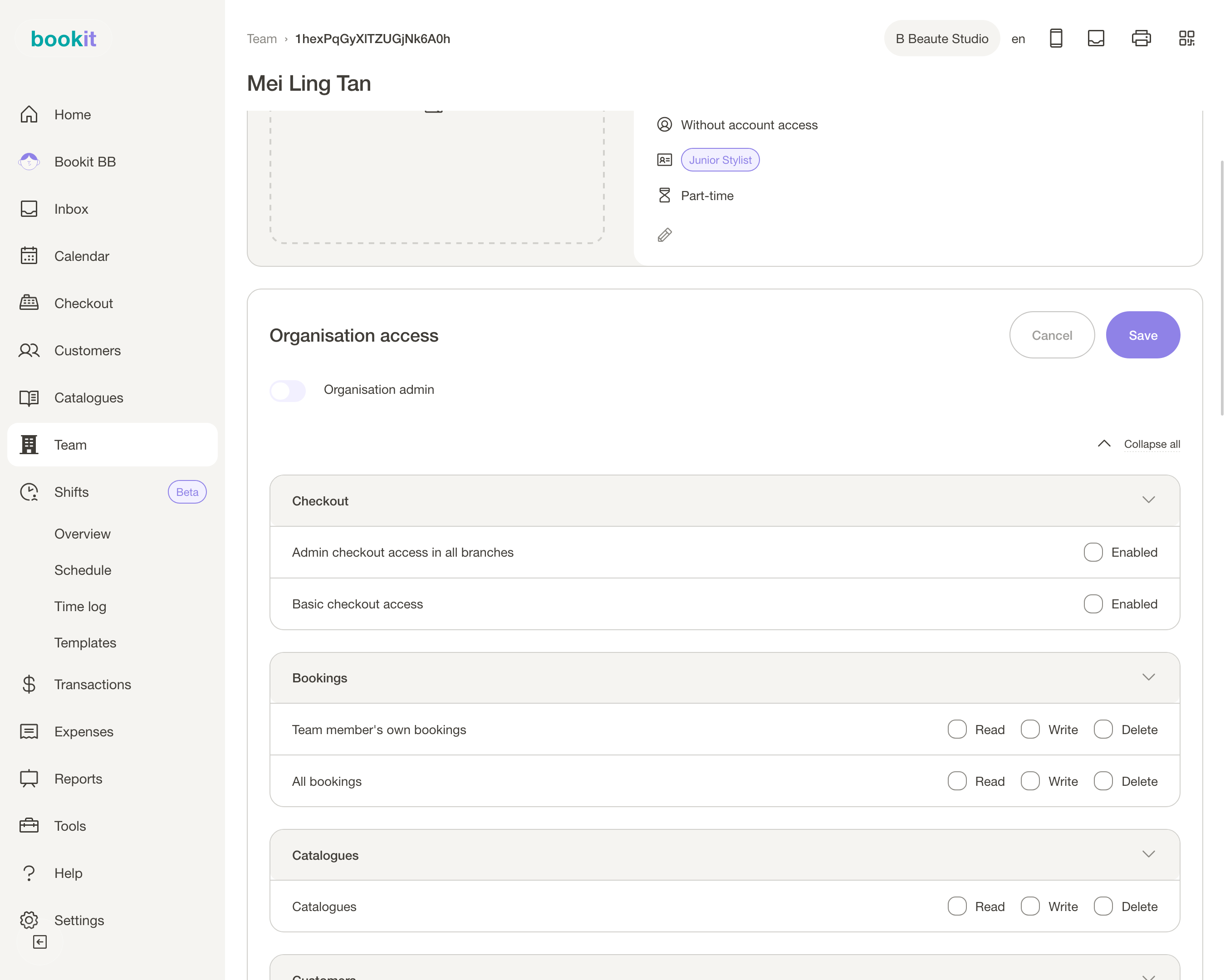
In bookit, Team holds everyone, and each person gets their own login and their own Access level per area — No access, View or Edit. On top of that sits Branch access, so someone who only works at your second branch never sees the first.
Rough shapes that work:
| Who | Roughly what they get |
|---|---|
| Part-timer on the floor | Edit on bookings and checkout, No access to reports and settings |
| Freelancer renting a chair | Their own bookings and customers, no visibility of anyone else's money |
| Manager covering your days off | Edit almost everywhere, No access to subscription and business settings |
| Founding partner or investor | View on reports, No access to anything operational |
Two honest notes before you rely on this. Reporting is coarser than you might expect: the Shift report follows the All reporting permission, so anybody who can open reports sees the whole team's hours, whatever their shift access says.
And the own-versus-all split on the Shifts pages is there to keep screens tidy, not as a privacy wall. If a person genuinely must not see someone else's numbers, keep reports off for them.
Also set the Role on their profile — Senior Stylist, Colourist, Manager. It is a label, not a permission, but it is what shows up in your team list and on the booking page.
2. Roster them for the days they are actually in
This is where freelancers differ most from staff. A full-timer's hours are assumed. A freelancer's hours are the deal.
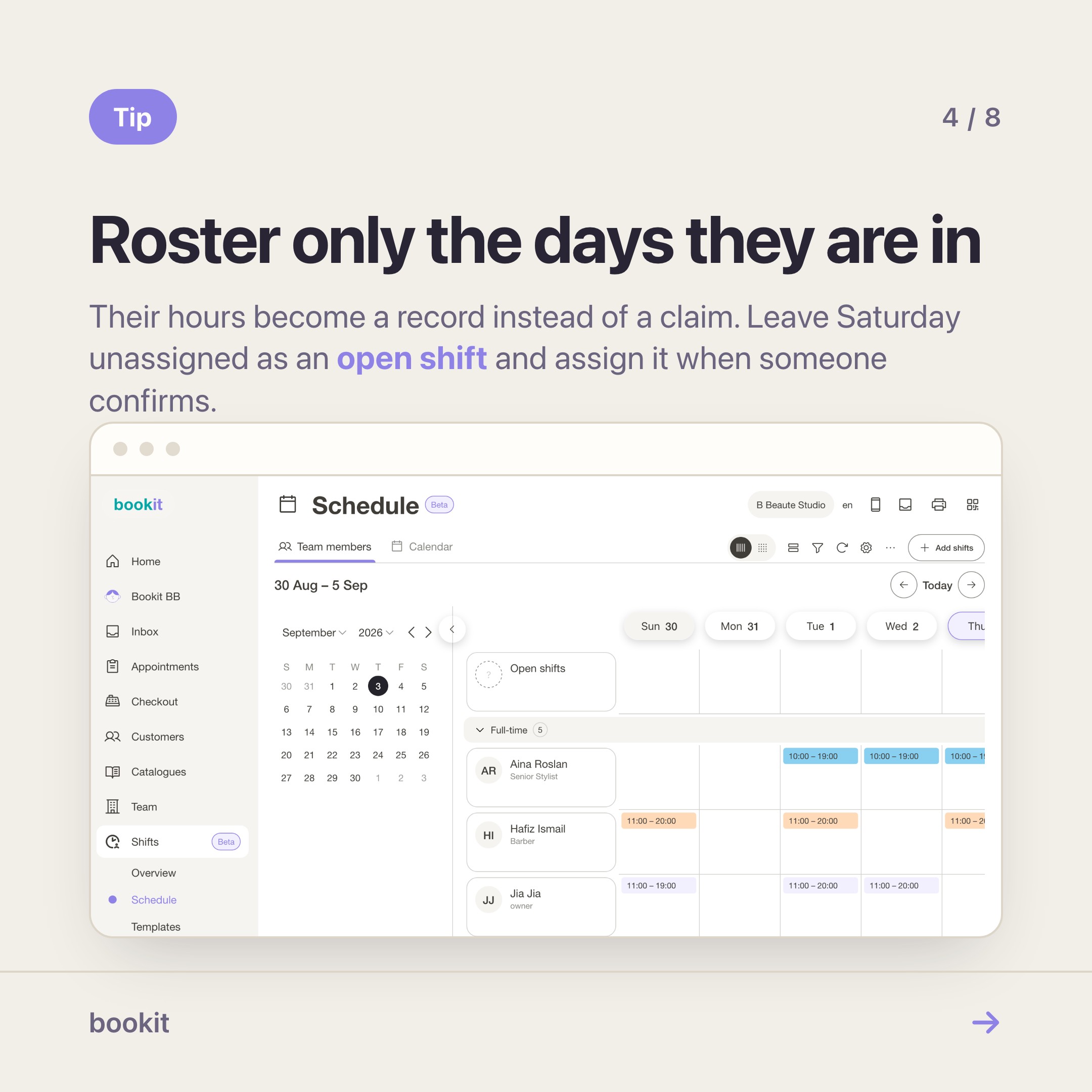
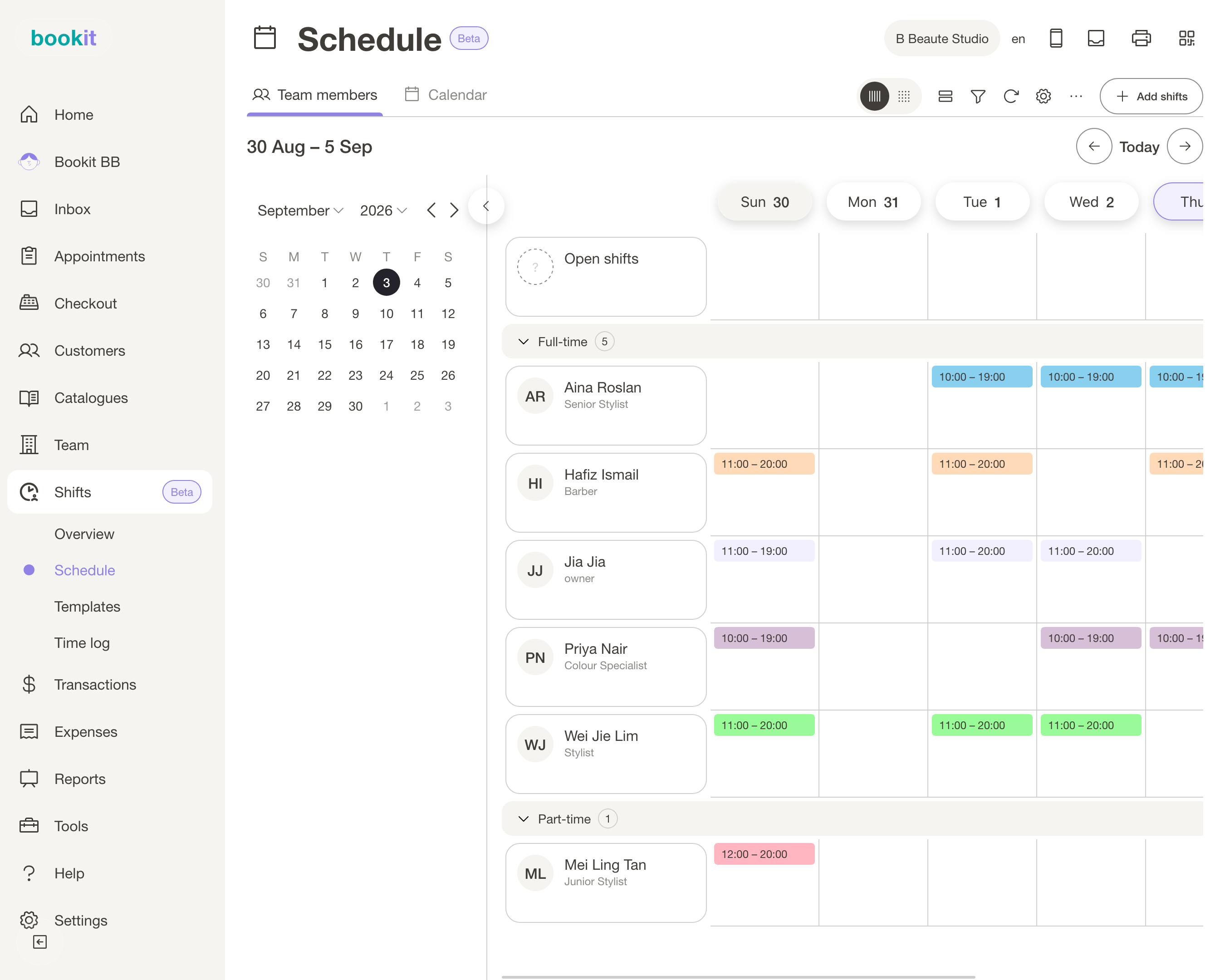
In Shifts, put the days they are in on the Schedule — same grid, same week. For someone with a stable pattern, set a default shift schedule on their profile so applying a template fills their days automatically. For someone who tells you week by week, add the shifts as they confirm.
Then let them clock in and out on their own account. This is not about suspicion. For a freelancer it is the opposite: it is the difference between their hours being a record and their hours being a claim.
When they say they covered Saturday afternoon, there is an entry with a timestamp and a method on it, and neither of you has to remember anything.
You choose per branch how much proof to require: a QR kiosk code at the counter that rotates and works once, a GPS geofence within a distance you set, or Clock in anywhere with no check at all.
Someone who works partly from home usually gets the last one, and that is fine — being honest that it checks nothing is better than pretending.
Unassigned open shifts are useful here too. Put Saturday on the board with nobody's name on it, and assign it when someone confirms. Note that only a manager assigns it — your team cannot claim one themselves yet.
3. Make their bookings follow their availability
Now the part everyone asks about: how do you stop customers booking the lash tech on a Tuesday when she is never in on a Tuesday?
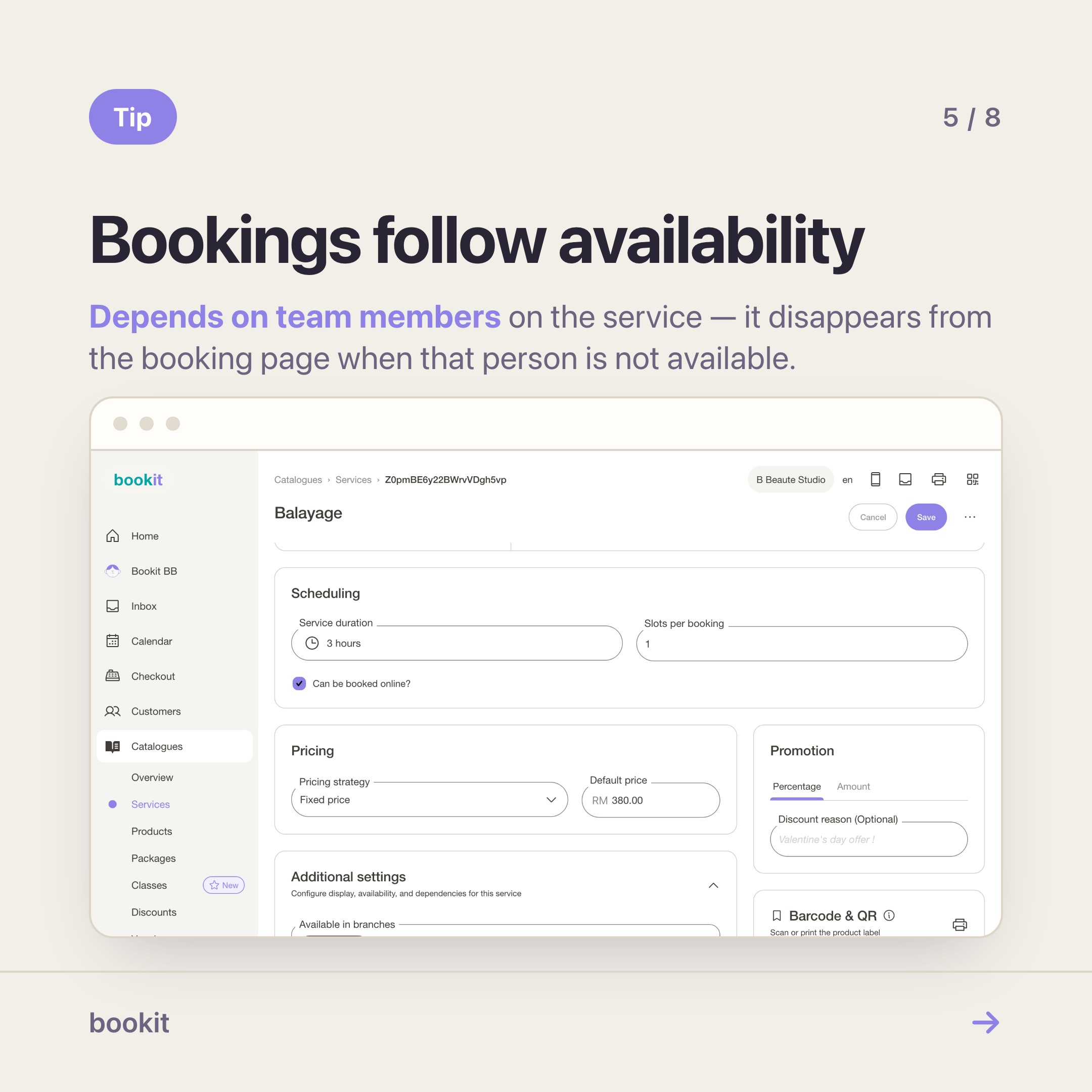
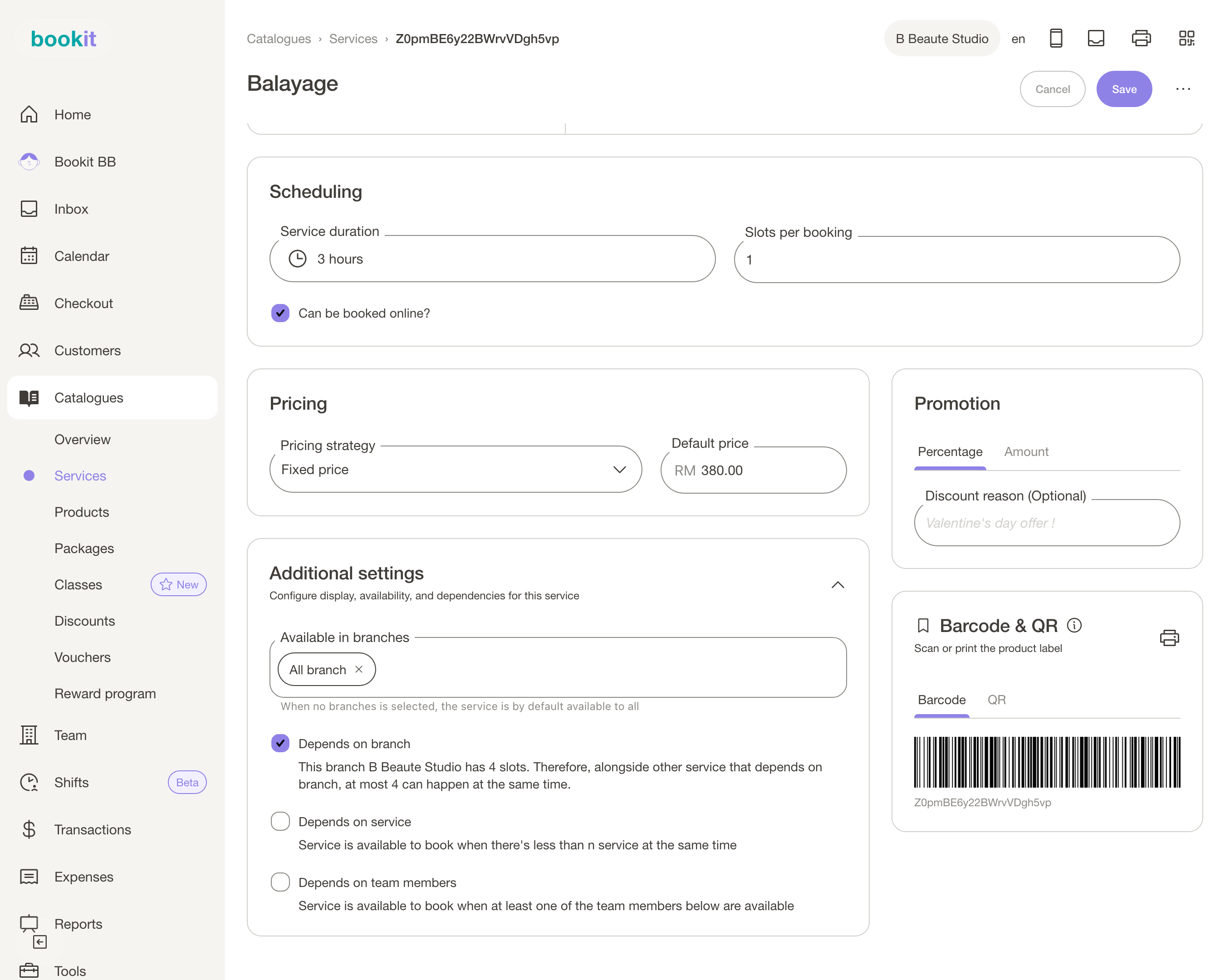
The tool that actually works today is on the service, not the roster. Open the service and use Depends on team members — the service becomes bookable only when at least one of the listed people is available.
For a freelancer with a skill nobody else has, that is exactly right: list only her, and her services disappear from the booking page when she is not available. Same thing when a customer picks her by name from your booking page.
Be aware of the edge, because it will bite you otherwise. An ordinary "any team member" booking does not consult the shift roster. A customer who picks a service anyone can do, on a day you rostered nobody, still gets a slot, and the booking lands unassigned for you to sort out.
There is a shift-based slot setting in branch scheduling, and its on-screen description currently oversells what it does — we are fixing both the wording and the behaviour. Until then: restrict the services that truly depend on one person, and keep an eye on the schedule.
The practical pattern most shops land on:
- Services only one person can do → Depends on team members, listing that person.
- Services anyone can do → leave open, accept that assignment happens after the booking.
- A freelancer's regular days → on the roster, so hours and coverage are recorded even when bookings do not enforce them.
4. Write down the cut, once
The commission conversation is where working relationships actually break, and it is nearly always because the deal lives in two people's memories rather than in one place.
In bookit, each branch has a commission pattern, and it comes in two shapes that matter a lot here:
- V1, shared split — a total commission is worked out for the item, then divided between the people involved by ratio. Fits a team that works as a team.
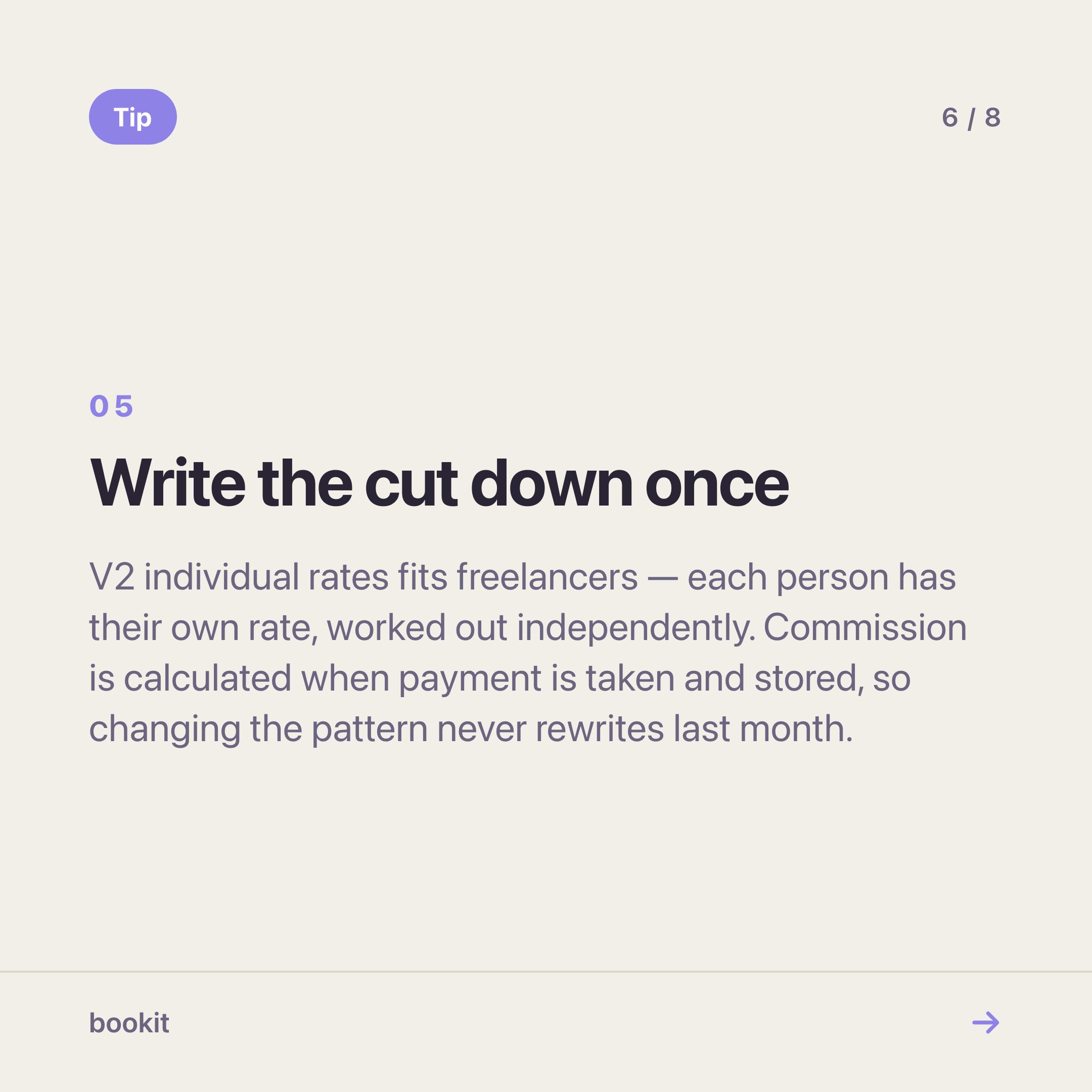
- V2, individual rates — each person has their own rate and their own commission is worked out independently. This is the one that fits freelancers and partners, because each of them negotiated a different number and nobody is splitting anyone else's.
Within a pattern, a rule can pay a percentage or a fixed amount per item, and it distinguishes sales commission (you sold it) from service commission (you performed it).
That distinction is what lets a chair renter earn on their own work while your counter person earns on the retail they sold alongside it — and one person can earn both on the same item.
Three things worth knowing before someone queries a number:
- Commission is calculated when the payment is taken, and stored with it. Changing the pattern later does not rewrite last month. That protects both of you.
- The discount toggles decide the base. Whether item-level and bill-wide discounts reduce the value commission is worked out on is a setting, and it is the first thing to check when a number looks wrong.
- Package redemptions still earn. A session redeemed from a package is valued at the package's per-session price, not zero.
Then Reports, then Team member commission report, filtered to that person and a date range, answers the query. One rule runs through it: sales are attributed by sales commission share, and commission is never pro-rated.
Someone who only assisted shows their service commission and RM 0 of sales. That is intentional, and knowing it in advance saves a conversation.
Where Shifts stops, and why
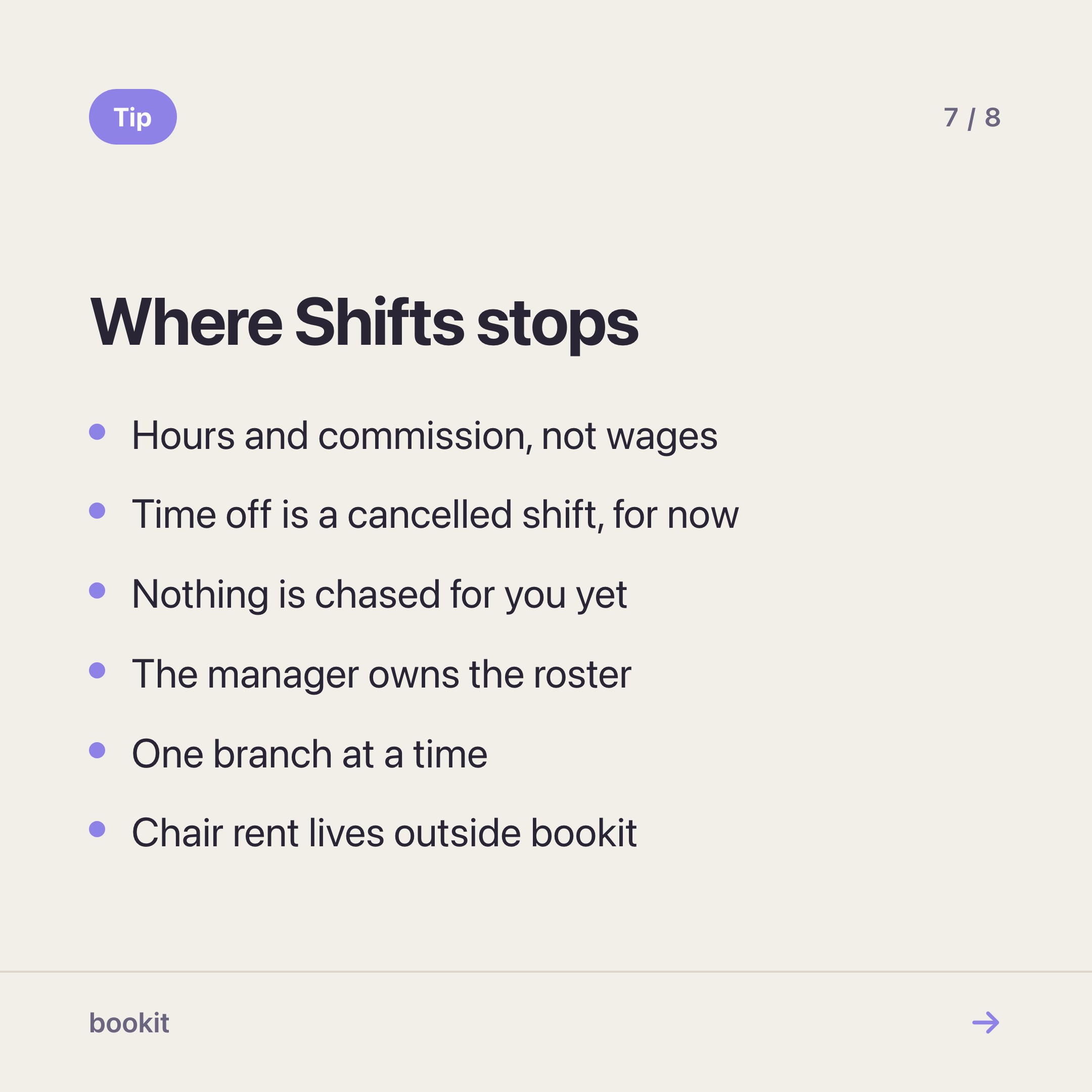
Hours and commission, not wages. You get the hours, the commission figures and a CSV. Paying people stays with you — the moment we hold rates, EPF and deductions we are a payroll system, and we would rather do the measuring well and leave the paying to whoever already does it.
Time off is a cancelled shift, for now. No leave or MC balances yet. Cancel the shift; the cancellation stays on its history, so a freelancer who told you in advance never shows up as a no-show.
Nothing is chased for you yet. Nobody is reminded about tomorrow's shift, and nobody is nudged about a clock-out they forgot. With freelancers that still falls to you.
The manager owns the roster. Open shifts exist, but a manager assigns them — nobody claims one. One owner means one version of who has Saturday, which matters more with a rotating cast than with fixed staff.
One branch at a time for schedule, time log and shift report.
Chair rent and contracts live outside bookit. If you rent a chair for a monthly fee, that agreement is between the two of you. bookit is the booking diary and the till, not the lease.
Where to start
You do not need all four steps at once. In order of what removes the most friction:
- Get everyone on their own account with the right access level. This one is free and it is the foundation for the rest.
- Restrict the services that depend on one person, so the booking page stops making promises you cannot keep.
- Put the deal into a commission pattern — V2 individual rates if each person has their own number.
- Add Shifts when you want hours to be a record rather than a memory. It is RM12 per month per branch on Basic, Advance and Team, or RM100 per year per branch, on the pricing page and self-serve from your subscription page.
The goal is not to control anyone. It is that when a freelancer asks what they are owed for September, you both open the same screen and read the same number.
Read next: how to roster with templates and pay part-timers from one export — the hours side, in detail.
Working with freelancers and not sure how to set it up? Message us on WhatsApp — tell us the arrangement and we will tell you how to configure it, or whether bookit can hold it at all.