Watch someone find a salon they have never been to. They do not open Instagram. They type "facial near me" or "barber Bangsar" into Google, glance at the map, tap two listings, read the top three reviews, and pick one.
The listing that gets picked is usually the one that makes the next step obvious. If yours shows a Book button and the shop next to you shows a phone number, you have won a booking from someone who did not know your name ninety seconds ago.
What Reserve with Google actually is
It is a booking button, placed by Google on your Business Profile — the panel that appears in Maps and on the right-hand side of Search. Tap it and the customer lands on your bookit booking page with the service already selected.
It is not an ad. You are not bidding for it and it does not cost per click. It is a data connection between your booking system and your listing.
Why it converts better than your bio link
Three reasons, in order of importance.
Intent. "Facial near me" is someone who wants a facial, near them, now. That is the highest-intent traffic you will ever get, and it is free.
Timing. They are deciding between two or three shops in the same minute. A button removes the "I'll message them later" step, which is where most of these die.
No friction on arrival. The link carries the service through, so the customer lands on a time picker, not a home page they have to read. If you use Miniprogram Pro, the sign-in screen is skipped for Reserve with Google traffic on purpose — a stranger should never be asked to make an account before they have booked once.
Switching it on
Settings → Integrations → Reserve with Google. The switch is the easy part; the checklist around it is what actually decides whether Google picks you up.
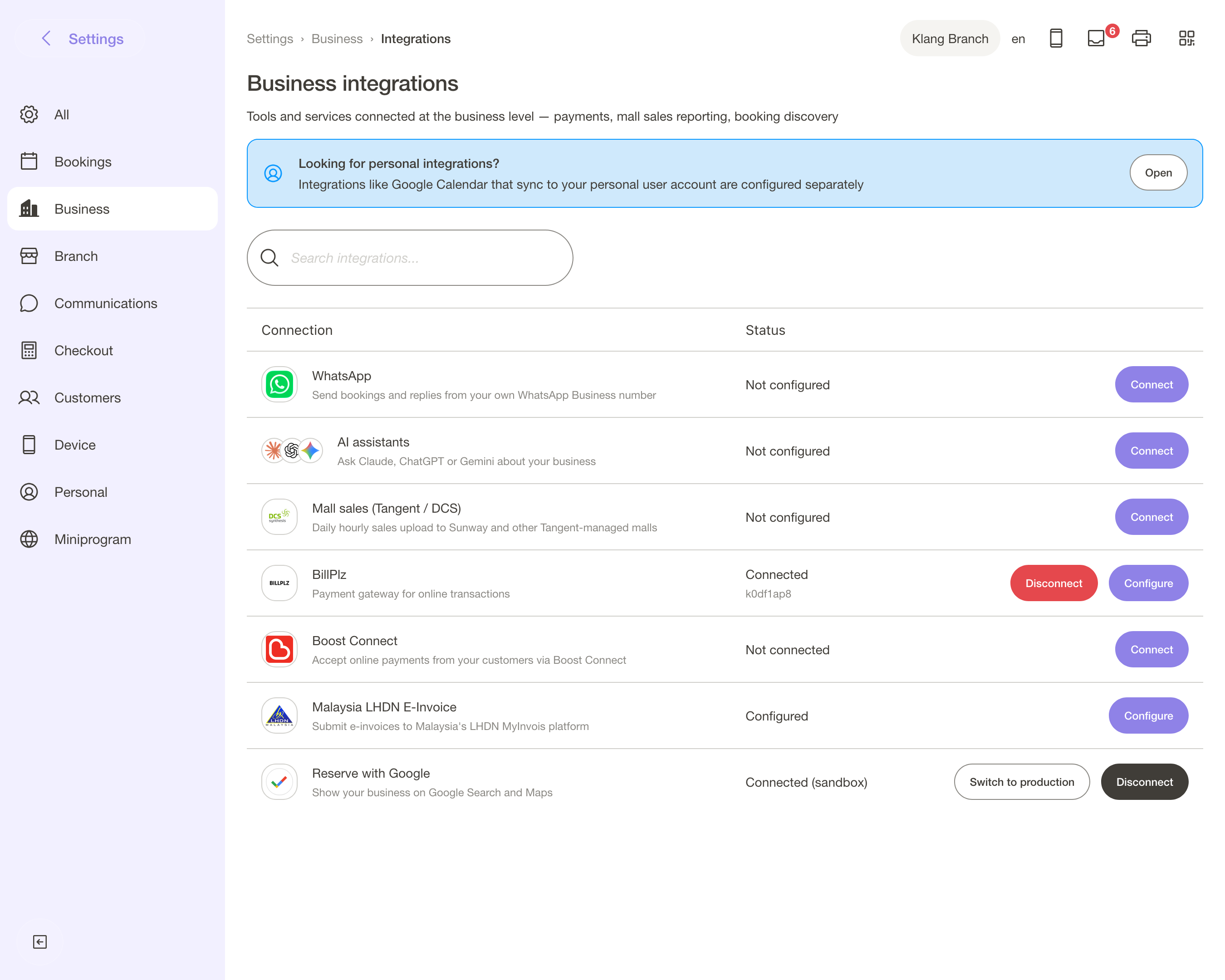
Four things have to be true:
- A claimed Google Business Profile for the branch, verified, with the same name and address you use in bookit. If the address on your listing and the address on your branch disagree, Google will not match them.
- A full branch address in bookit — not "Lot 12, Bangsar", but the address a delivery rider could use, with a postcode.
- At least one bookable service with a price and a real duration. Services hidden from online booking do not count.
- Online booking switched on for that branch.
Then you wait. Google syncs on its own schedule — usually days, sometimes a couple of weeks. Nothing to chase; the button appears when it appears.
What to do while you wait
The button gets you the tap. The listing gets you the tap in the first place, and that part is yours:
- Photos, recent ones. Shop front so people recognise the door, and work photos. Listings with fresh photos get opened more.
- Hours that are true, including public holidays. A wrong closing time is the fastest way to a one-star review from someone who drove there.
- Reviews, asked for at the right moment — at the counter after a good visit, not by mass blast three weeks later.
- Service names a human would search. "Hydrafacial" beats "Signature Radiance Ritual" on a listing, whatever it is called on your menu.
The honest limits
Reserve with Google sends the customer to your booking page. It does not put the whole booking flow inside Google, and your availability shows once they arrive, not on the listing itself.
It also will not fix a thin listing. If you have four reviews and no photos, a Book button is a nicer door on an empty shop — fix the listing first, then add the button.
And it is per branch: each branch needs its own verified profile and its own complete address.
Where it sits in the free half
Reserve with Google is included on every bookit plan. So is the booking page and its editor. Between them, that is a searchable listing, a one-tap booking, and a page that looks like your shop — none of which is an add-on.
If you already have a Google Business Profile and you have not switched this on, it is the highest-return ten minutes available to you this week.